15 Best high-converting one-page website examples for your business
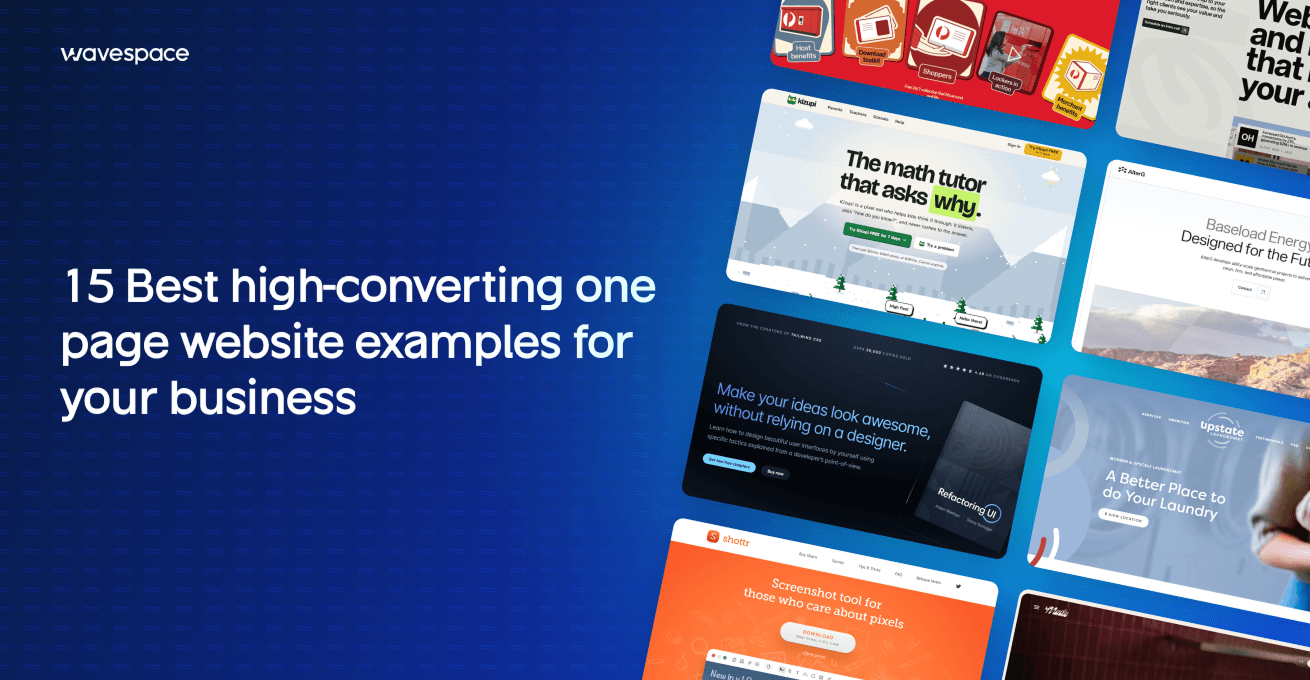
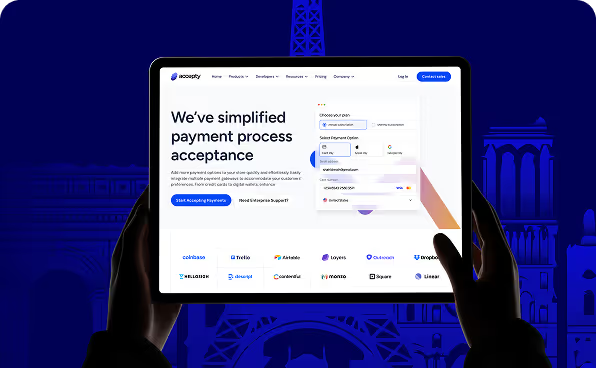


A one-page website is a type of website that does all of a website's work on only one page. Unlike traditional website design, a one-page website relies on linear storytelling and doesn’t consist of multiple pages like “About us," "pricing," "services," and "schedule a call." It does everything on one page.
Whether you are building a startup or have been in the market for a few years, we have something for everyone. This article includes 15 live one-page websites, scored against eight criteria below. Use them to plan a one-page site that converts.
What is a one-page website?
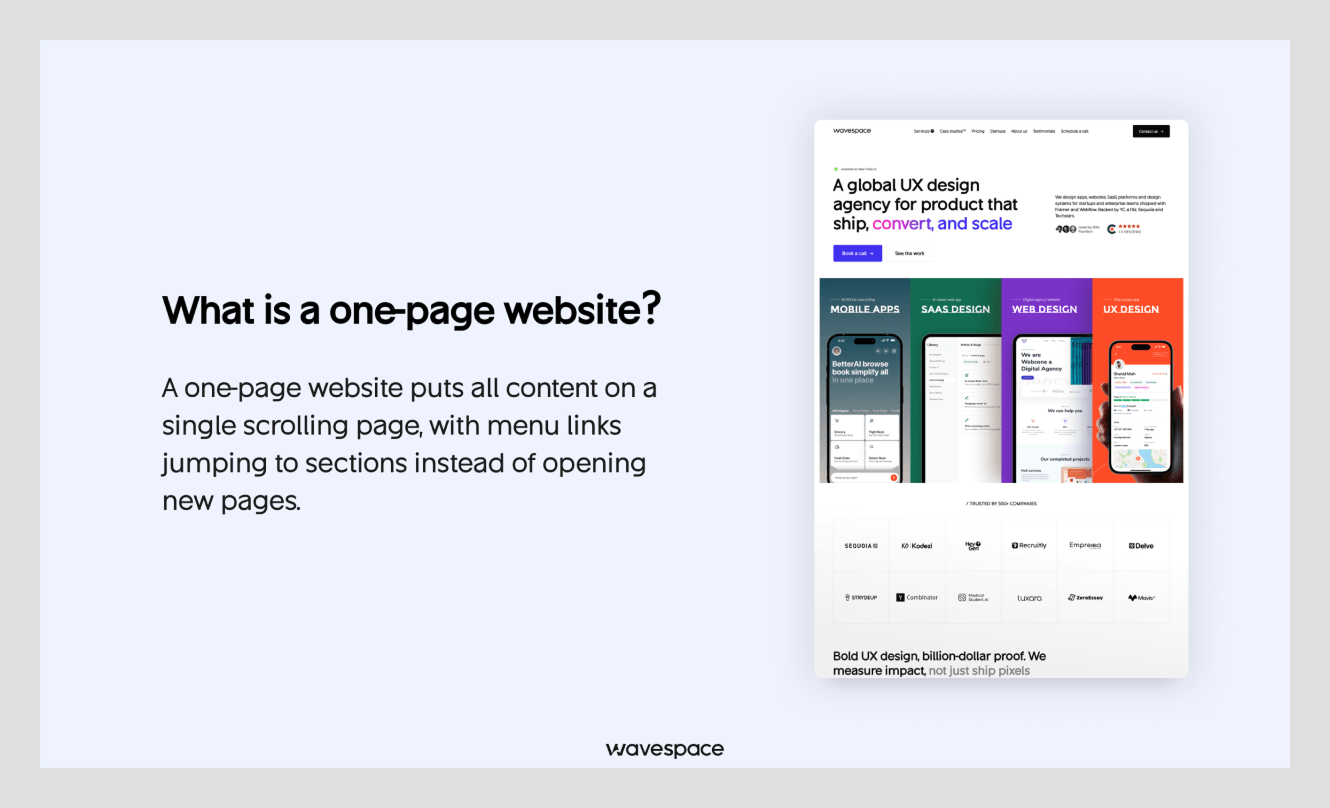
The name explains itself. It is a website that does everything from a single webpage. It does the heavy lifting of every other page. Like a landing page design or regular website, it includes all of its content and interactive elements like a hero section, introduction, products, services, social proof, contact area, and footer on one page.
Many people confuse a landing page with a one-page website, but they’re different. The average visitor won’t notice the difference, but a founder should know it.
One-page website vs landing page vs multi-page site
A one-page website can’t do everything a multi-page site does, such as hosting a blog or multiple product pages. A landing page, on the other hand, has a single CTA to drive conversions.
It’s typically used to capture leads, launch a product, or promote an event. A normal website can have single or multiple landing pages for different campaigns, but a one-page website only has one page. The best website design examples are a good read if you need a website instead of a one-page website.
Difference between a one-page website, a landing page, and a multi-page website
In layman’s terms, a one-page website is best for simple information, a landing page for customer action, and a multi-page website for businesses that need many pages.
What makes a one-page website high-converting?
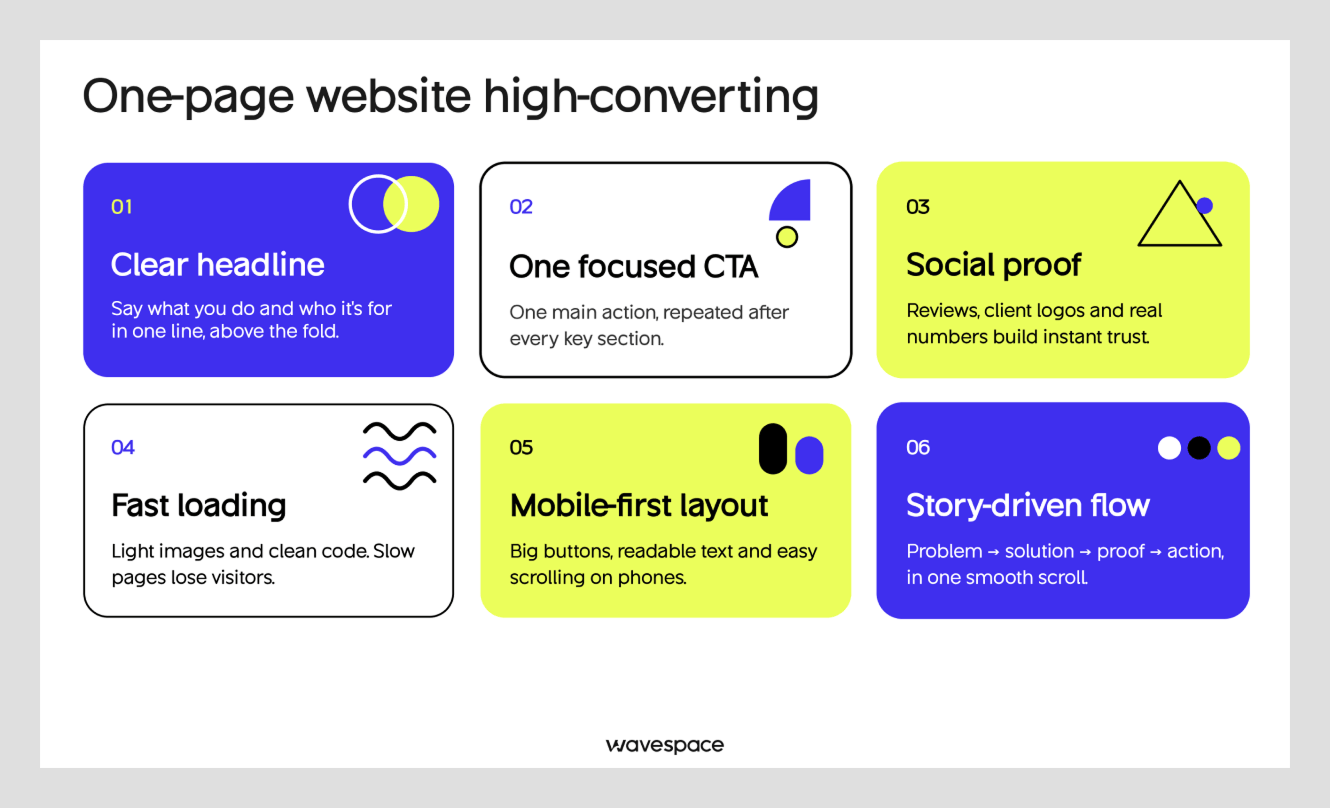
Many businesses consider a one-page website because of its visible CTA on the first screen. Visitors see proof before they’re asked to act. It makes one-page websites more high-converting than multi-page websites.
One-page web designers design the entire website with that clear goal. There’s nothing to wonder about: users land, read the copy, see the social proof, and click the CTA.
There's nothing in between. The user gets a CTA above the fold if it doesn’t convince them. They get convinced while scrolling and get a second CTA at the bottom.
The seven conversion elements
1. Hero with value:
A hero with a value proposition and a button does more than fancy UI design. It influences visitors to make decisions within seconds. Google’s UX researchers found visitors decide whether to stay or leave in under 0.05 seconds, which is faster than a blink. However, it all depends on how you do it. An experienced UX design agency can lift your conversion by 300% if done right.
2. Sticky anchor menu:
Stays at the top of the screen as visitors scroll and helps visitors jump between sections without going back to the top. Our Wavespace UX designers believe this helps visitors skip through the parts they find boring and helps them click the CTA faster.
3. Social proof (testimonials and client logos):
Placing verifiable numbers increases the chances of visitors clicking. Add testimonials and client logos before asking visitors to click the CTA. This not only works to increase visitors' trust in a one-page website but also works for every type of website.
4. Primary CTA:
Choose one thing for users to take action on instead of using multiple CTAs calling them to different things. Select the purpose of your web page. It can be Call, Book, or Buy. Repeat it 1–3 times on the page.
5. Scannable sections:
Use the visual hierarchy design principle for creating each section. Short sentences, bullet points, and headings that guide the user without boring them. Focus on the long pages, because most visitors skim them and only read headings and anything that earns their attention.
6. Multiple contact points:
At least two contact options on a single page. Add your phone number or contact form button in the header and again at the end of the page before the footer. We’ve used two contact paths for one of our clients, ScheduleBot. After our redesign, they have seen a 150% increase in conversion rate.
7. Fast, mobile-responsive design:
96.2% of internet users use smartphones on a daily basis. Mobile phones account for 51.6% of global web traffic. Get a design agency that values this number. Ask them to optimize your one-page website for mobile users. A one-page site loads everything at once, so compress images, videos, and scripts for your mobile responsive web design.
How we picked and scored the 15 examples
We set a few ground rules for scoring these examples. Each one-page website has to be live and belong to a real business. It must ask visitors to do one thing.
For this list, we focused on different industries rather than sticking to one. The list includes web pages from multiple website builders, not just one stack.
We scored every one-page site on this blog from 0 to 2 on eight different criteria. Each criterion is worth up to 2 points, for a maximum of 16. Rules: 2 = fully meets the criterion, 1 = meets partially, 0 = doesn’t meet it.
The criteria are:
- Goal clarity
- Visible CTA
- Proof
- Scroll flow
- Mobile layout
- Speed
- SEO
- Accessibility
15 High-converting one-page websites, scored and ranked (2026)
We tested 63 websites and scored the best 15 live one-page business websites against the eight criteria above. The result was surprising. The Mom Test came out first of the 15 websites and scored the highest among all. Also, another thing we noticed is that site speed is the most common issue on websites.
1. The Mom Test: A book by Rob Fitzpatrick
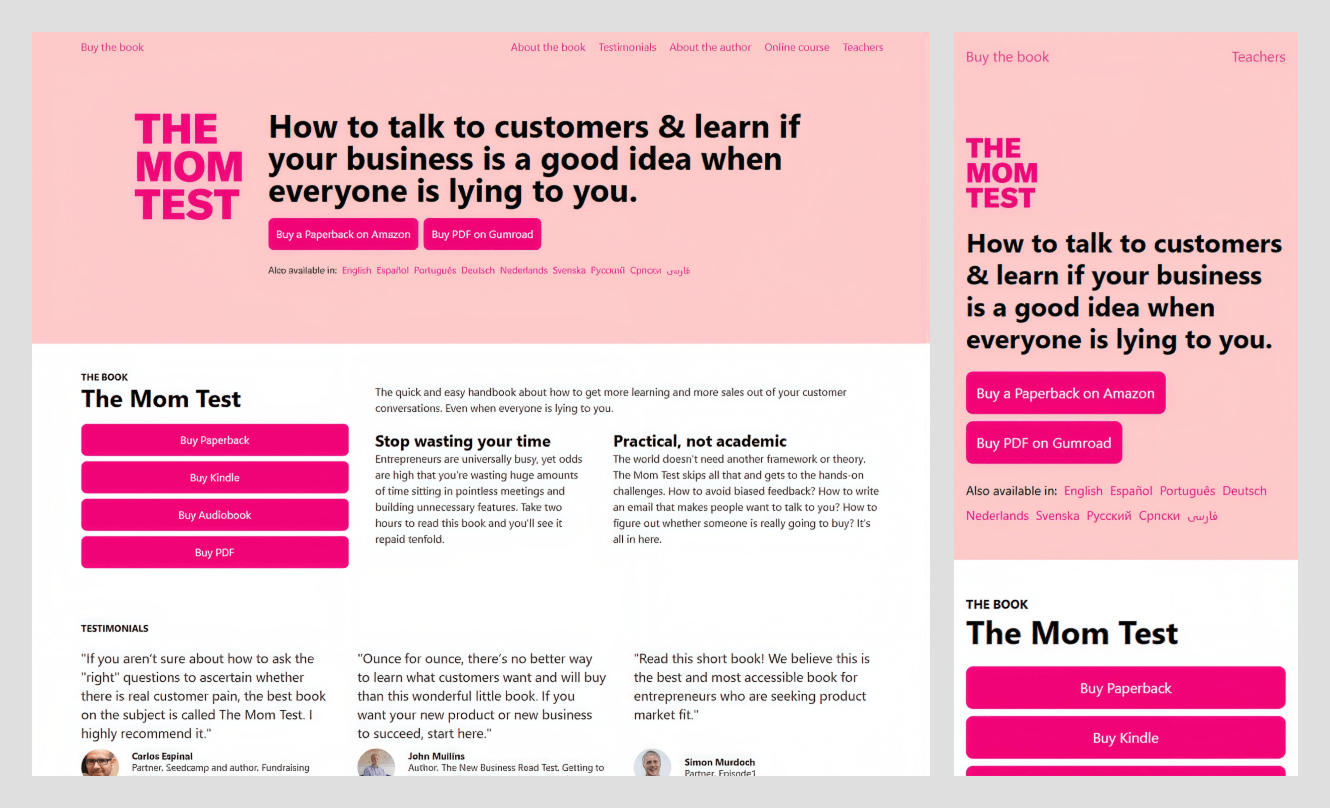
What stands out: H1 directly speaks about the user problem in one line, with the buy button right next to it.
Goal: Sell the book in any format
Primary CTA: Buy a Paperback on Amazon (plus PDF, Kindle, and audiobook buttons).
Scroll order: Hero with buy buttons → book summary with one button per format → named testimonials → about the author → online course → more from the author
Built with: Next.js
Industry: Publishing (business book)
Score: 16/16 (Lighthouse mobile: performance 98, accessibility 92)
Why it converts:
- The headline says what the book is for. People want to know if their business idea is good when everyone is lying to them.
- Each book format has a dedicated button (paperback, Kindle, audiobook, PDF). No visitor has to search for their preferred medium.
- Testimonials include names and roles to increase trust.
Steal this:
- Have a button for every plan or format instead of only one “Buy” button.
2. Monolog: Brand and web design studio
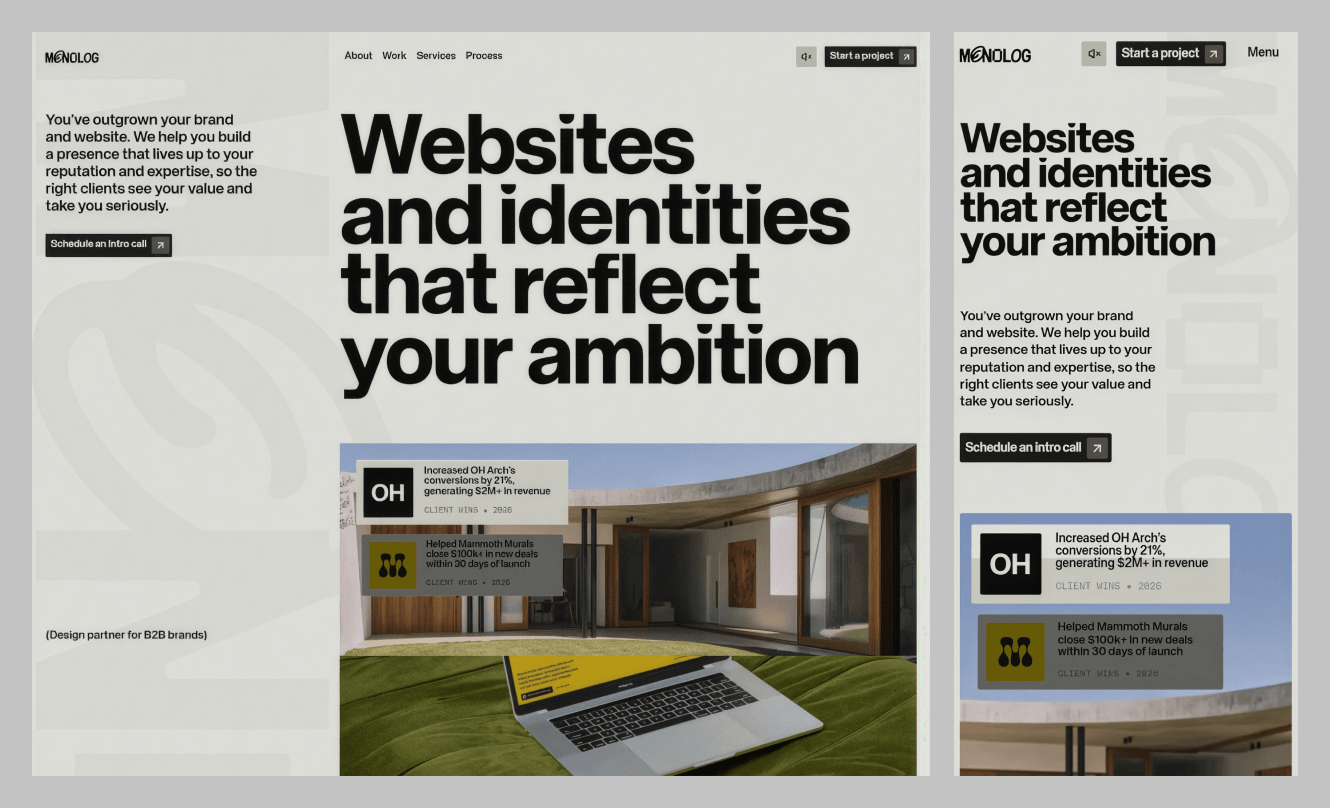
What stands out: It puts client results, not portfolio shots, into the first screen.
Goal: Booking the intro call
Primary CTA: Schedule an intro call (Start a project in the header).
Scroll order: Hero with client-win cards → client logos → problem statement → success stories with metrics → testimonials → services → project process → principles → awards
Built with: Astro
Industry: Creative agency (B2B)
Score: 15/16 (Lighthouse mobile: performance 64, accessibility 93)
Why it converts:
- The hero shows results first, so visitors instantly see what the studio can do.
- The case study shows measurable results.
- Two CTAs serve two types of visitors. "Schedule an intro call" for the curious and "Start a project" for the ready.
Steal this:
- Show a couple of client-result cards in the header with real images.
3. Kizupi: A math tutor app for kids

What stands out: This one-page website addresses parents’ two biggest concerns: pricing and whether their kids will like it.
Goal: Start free trial
Primary CTA: Try Kizupi FREE for 7 days
Scroll order: Hero with price & CTA → feature strip → sample problem → parent controls → classroom use → privacy → FAQ → closing CTA
Built with: Vite
Industry: EdTech (Education technology)
Score: 14/16 (Lighthouse mobile: performance 100, accessibility 100)
Why it converts:
- Pricing and cancellation terms under the main heading & CTA.
- A second CTA “Try a problem” so parents can test before buying.
- Dedicated anchors for Parents, Teachers and Schools.
Steal this:
- Put pricing and cancellation assurance directly on your main button.
4. Madie: Madeleine Bakery and Café in Madrid

What stands out: A Google review and rating badge on top of the headline to earn trust before scrolling.
Goal: Make people come to the café
Primary CTA: Encuentra tu favorita (find your favorite) and Pedir ahora (order now)
Scroll order: Hero with Google badge → brand story → café photos → menu → events and catering → Instagram → map, time, and contact
Built with: Next.js
Industry: Food and drink
Score: 14/16 (Lighthouse mobile: performance 69, accessibility 100)
Why it converts:
- 5-star rating count in the hero.
- The menu on one scroll saves time.
- Bakery and café schema plus Spanish, English, and French versions for local search and tourists.
Steal this:
- Put the Google rating and review count on top of the headline.
5. Kereliott: holiday cottage in Brittany, France

What stands out: High-quality images and a full Book Your Stay button on mobile.
Goal: Holiday bookings
Primary CTA: Booking (mobile: Book Your Stay)
Scroll order: Hero → story and location → map → gallery → rooms and amenities → interior → local area → booking links and contact
Built with: WordPress
Industry: Travel and accommodation
Score: 13/16 (Lighthouse mobile: performance 80, accessibility 95)
Why it converts:
- A large “Book Your Stay” button for mobile visitors.
- The official Meublé de Tourisme rating badge.
- Informative copy to answer all the questions a visitor has in mind.
Steal this:
- Use a full-width button for mobile responsive design.
6. AlterG Resources: Geothermal energy developer
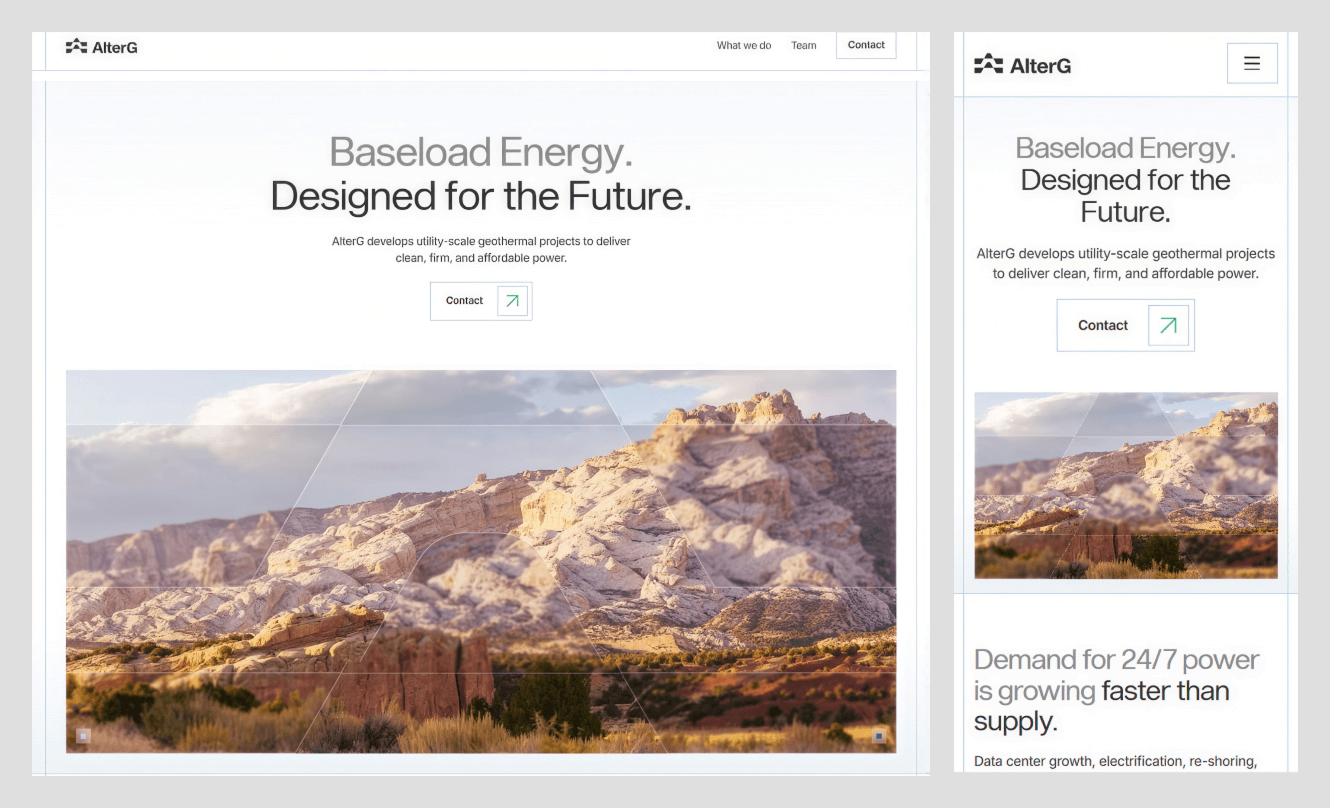
What stands out: A simple subhead and leadership team to start a conversation.
Goal: Start partnership conversation
Primary CTA: Contact
Scroll order: Hero → Answer why with benefit → photo strip → leadership team → careers prompt → closing partner CTA
Built with: Webflow
Industry: Energy and infrastructure
Score: 13/16 (Lighthouse mobile: performance 69, accessibility 89)
Why it converts:
- The subhead says what the company does.
- The team section lists every board member as a trust signal.
- The page ends by restating the offer as a question.
Steal this:
- End the page with your offer as a question the visitor answers by clicking.
7. Le Petit Bleu: café by Commander's Palace, New Orleans
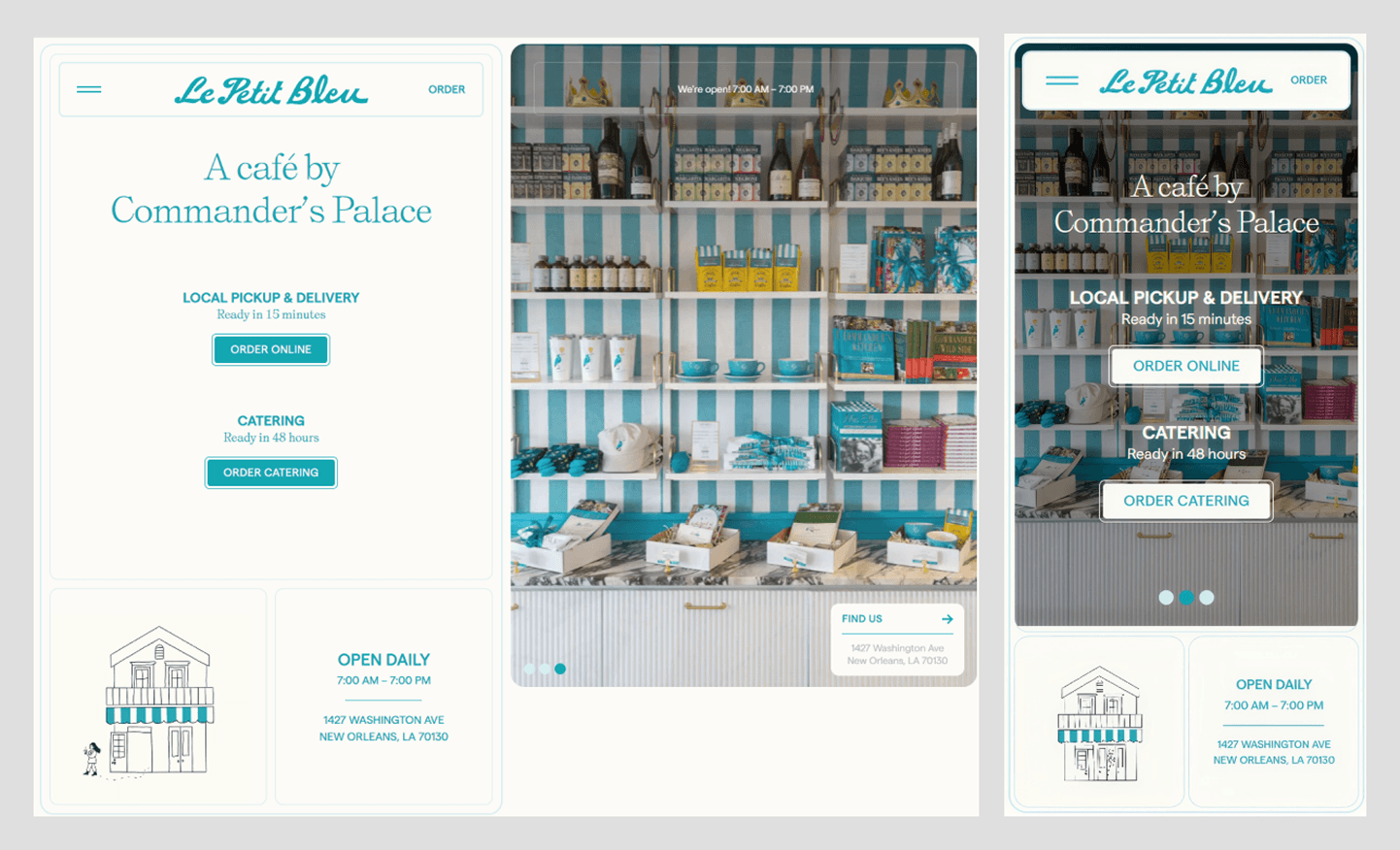
What stands out: Two order buttons with ready times for each.
Goal: Online orders for pickup, delivery, and catering
Primary CTA: Order Online and Order Catering
Scroll order: Hero with two order paths → hours and address → gallery → menu → about → social → contact
Built with: Webflow
Industry: Food and drink
Score: 13/16 (Lighthouse mobile: performance 67, accessibility 95)
Why it converts:
- Each order button says when the visitor will get their service.
- The headline borrows trust from its famous parent restaurant.
- Opening hours and the address right under the hero.
Steal this:
- Put the ready time or delivery time under each order button.
8. Upstate Laundromat: laundromat in Greenville, South Carolina
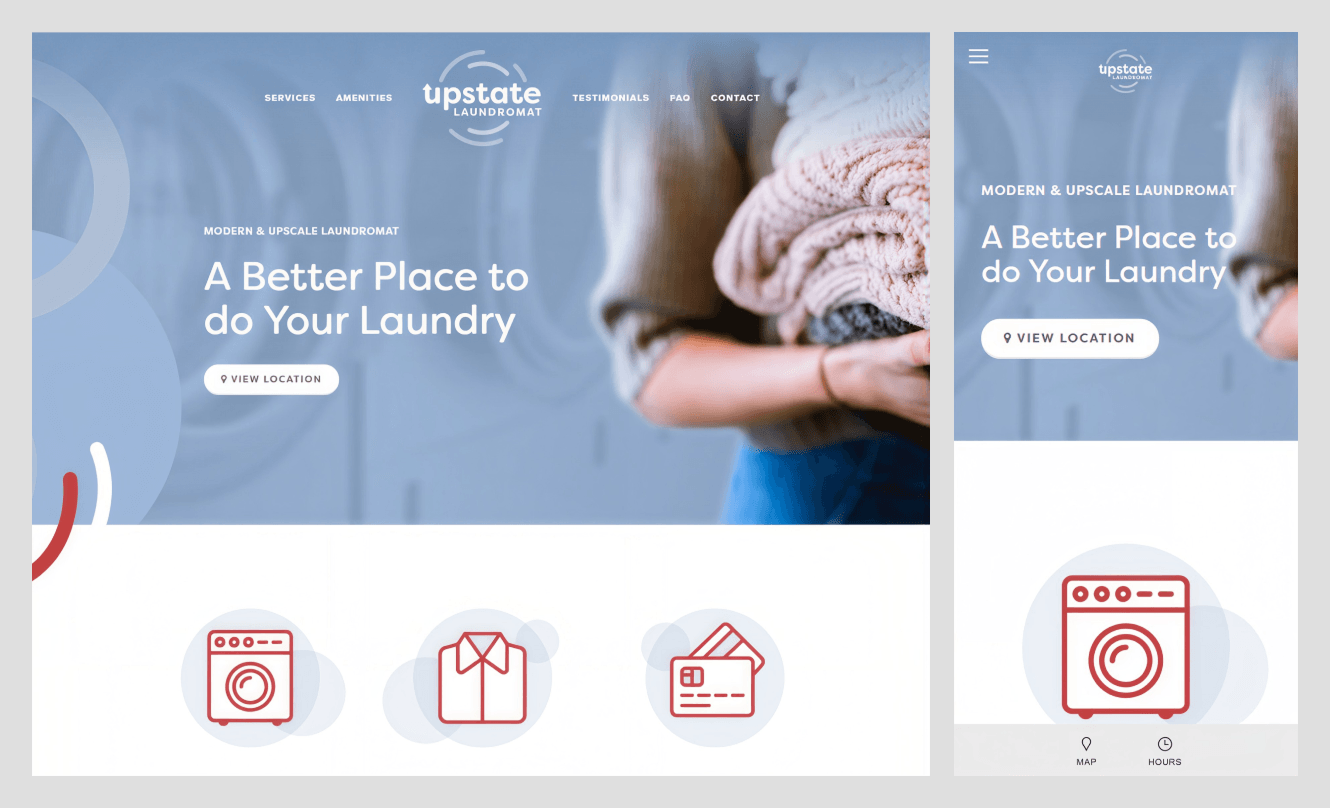
What stands out: The website sells the laundromat’s comfortable, user-friendly environment.
Goal: Get people to visit the laundromat
Primary CTA: View Location
Scroll order: Hero → services → amenities grid → Google reviews → FAQ → contact and map → mailing list (discount)
Built with: Squarespace
Industry: Local services
Score: 13/16 (Lighthouse mobile: performance 28, accessibility 91)
Why it converts:
- The amenities grid shows the laundromat is comfortable and safe to do laundry.
- Google reviews show names, dates, and star ratings.
- The FAQ answers the common queries.
Steal this:
- Offer a small discount for joining your newsletter or mailing list.
9. Shottr: Mac screenshot app
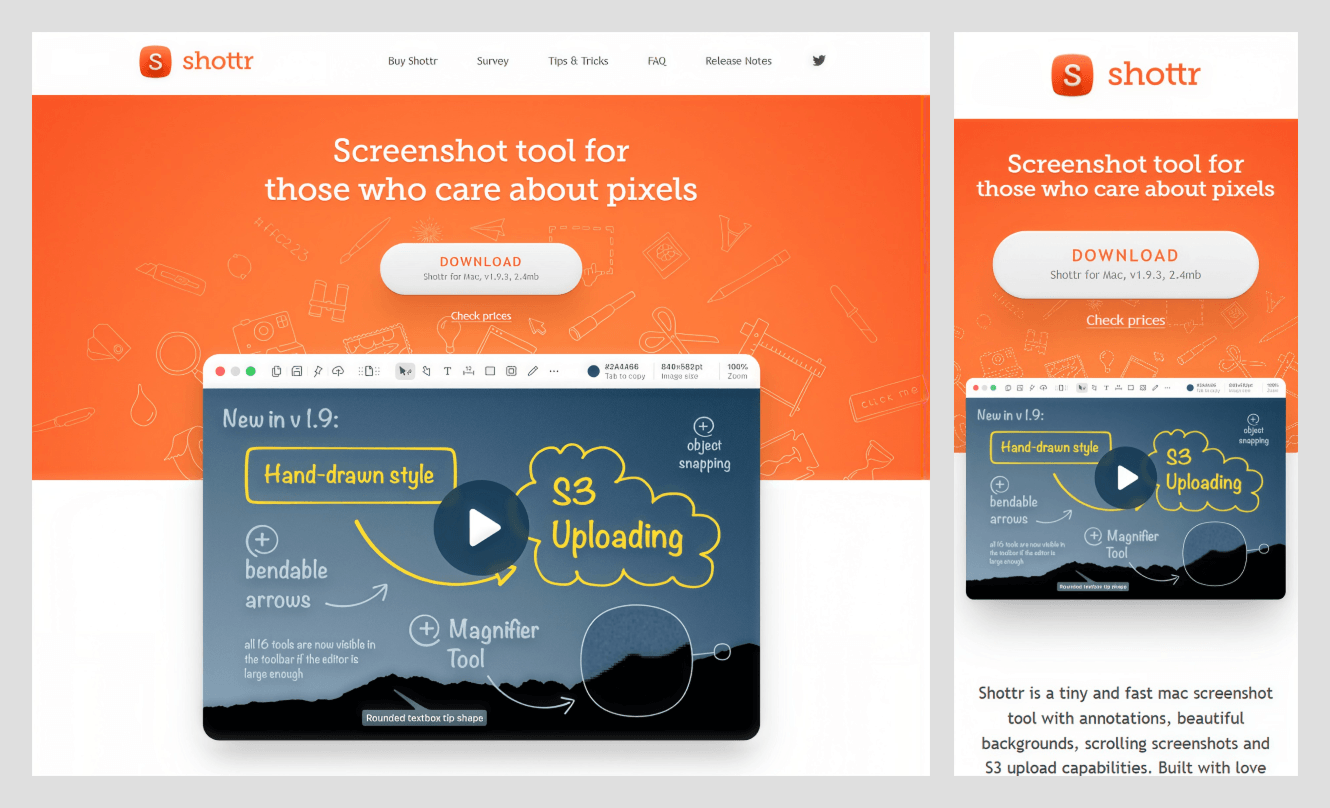
What stands out: The download button shows the app’s version and file size.
Goal: Get downloads that turn into paid licenses
Primary CTA: Download
Scroll order: Hero with download button → demo video → feature grid → feature survey → email updates → tips → FAQ → release notes
Built with: Hand-coded HTML
Industry: Software (Utility)
Score: 12/16 (Lighthouse mobile: performance 95, accessibility 83)
Why it converts:
- Shows build versions and file size on the download button, signaling active maintenance.
- A video demo right after the download button.
- FAQ section with common visitor questions, and release notes show the version, date, and changes.
Steal this:
- Use proof of lightness on CTAs for software utilities.
10. Thayon: AI talent and executive search firm

What stands out: The CTA makes it clear who you'll speak with.
Goal: Get hiring briefs from AI labs and startups
Primary CTA: Brief the founder (Menu: Talk to us)
Scroll order: Hero → hiring gaps → how we work → results → founder intro and client quote → closing CTA
Built with: Framer
Industry: Recruiting (B2B)
Score: 12/16 (Lighthouse mobile: performance 49, accessibility 89)
Why it converts:
- A founder-level CTA, a direct promise of senior conversation.
- The result section shows names with numbers for better trust building.
- The problem thesis section discusses specific hiring problems.
Steal this:
- Use a clear CTA that names who the customer will talk to. Use “Talk to Shahid” instead of “Contact us."
11. Locker Land: Australia Post Parcel Lockers campaign site

What stands out: The hero design is a deck of cards, one per audience, so merchants and property hosts can jump to their sections.
Goal: Business inquiries from merchants and property hosts
Primary CTA: Enquire now
Scroll order: Hero with audience cards → stats → who uses lockers → video → benefits → free toolkits → merchant or host split → FAQ
Built with: Next.js
Industry: Logistics (B2B)
Score: 12/16 (Lighthouse mobile: performance 46, accessibility 100)
Why it converts:
- Hero cards work as an anchor to jump between sections.
- "Enquire now" stays pinned on screen as you scroll and always stays in front of a purchase-ready prospect's eyes.
- A free downloadable toolkit for visitors who aren't ready to click on inquire.
Steal this:
- Split your sections as per your audience types.
12. Refactoring UI: design book and video course
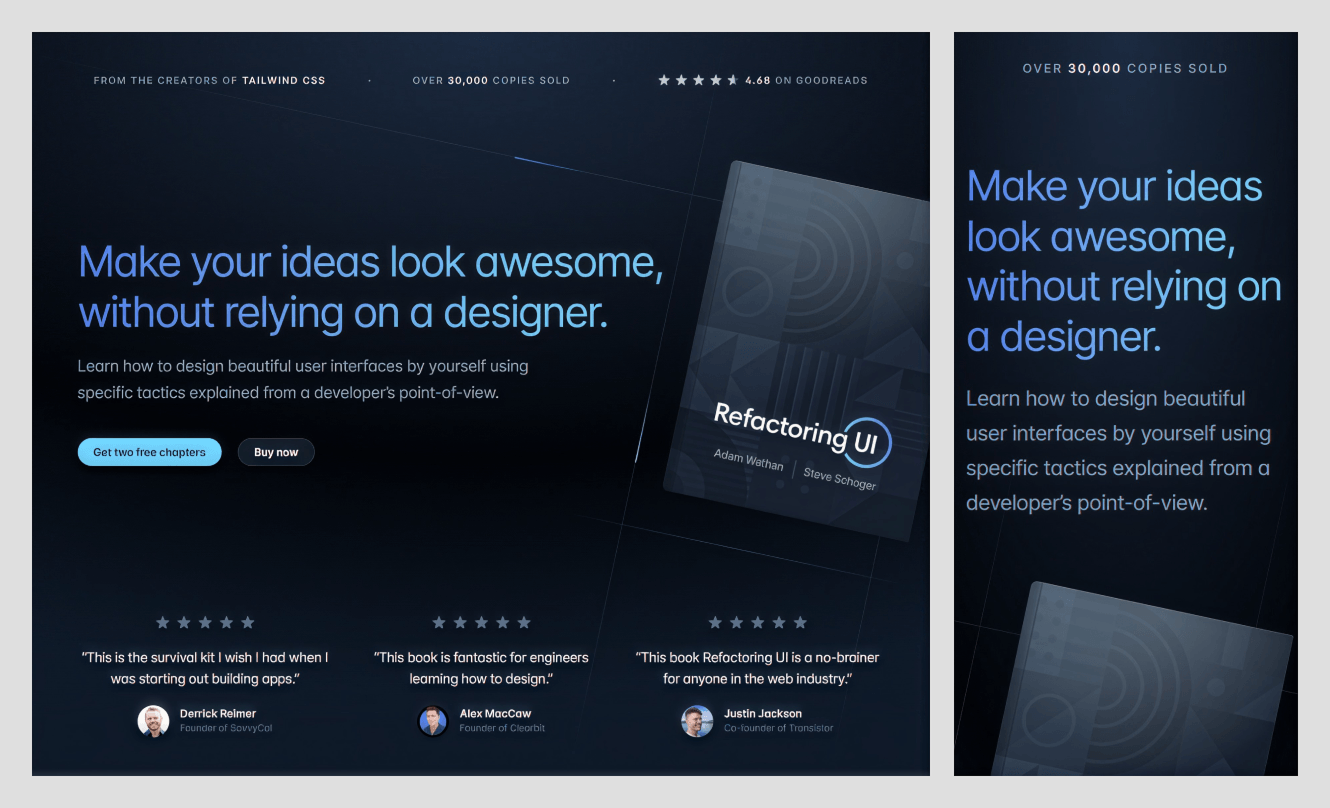
What stands out: Promises a good-looking outcome and lets cautious visitors read two chapters free.
Goal: Sell the book package
Primary CTA: Buy now (secondary: Get two free chapters)
Scroll order: Hero with proof → testimonials → founder story → design tactic → what's included → pricing → social proof → FAQ
Built with: Laravel with Inertia
Industry: Digital product (education)
Score: 11/16 (Lighthouse mobile: performance 84, accessibility 86)
Why it converts:
- Proof bar above the primary heading.
- Two button types for two types of visitors (buyers and cautious visitors).
- The middle part of the page earns solid trust by teaching real tactics with before-and-after examples.
Steal this:
- Pair your buy button with a free sample so cold visitors get a taste of your product.
13. tinyPod: Apple Watch case
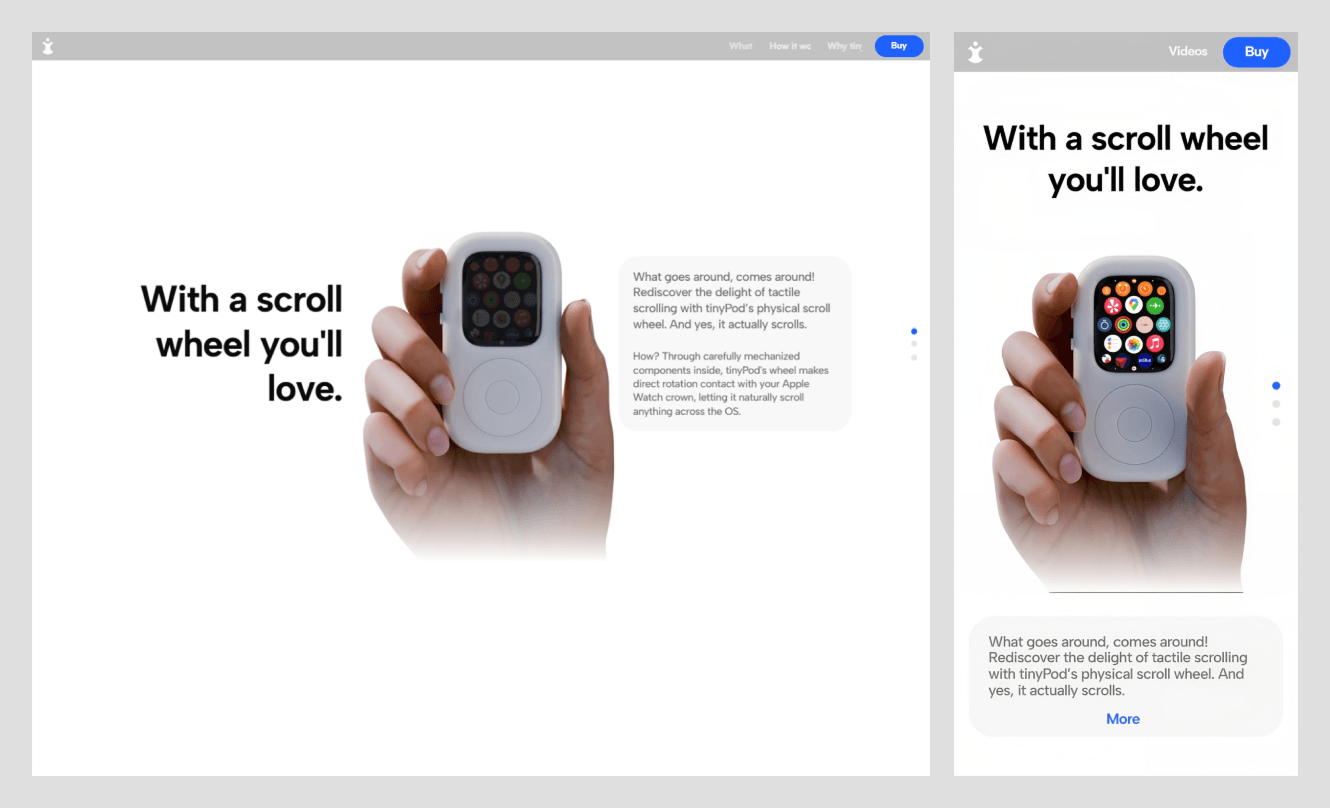
What stands out: A sticky menu with a buy button for buyers who want a product without a story.
Goal: Sell the case
Primary CTA: Buy
Scroll order: Hero → what it does → how it works → why tinyPod → videos and reviews → get yours
Built with: Framer
Industry: Consumer hardware
Score: 10/16 (Lighthouse mobile: performance 46, accessibility 87)
Why it converts:
- The header menu asks questions like a buyer: What, How, Why, Buy.
- The blue Buy button stays fixed, and one click is a way for people who have made up their mind.
- Scroll animations show how that product will feel with the Apple Watch in it.
Steal this:
- Label your menu with buyer questions (What, How, Why, Buy).
14. The Devonshire: pub and grill restaurant in Soho, London
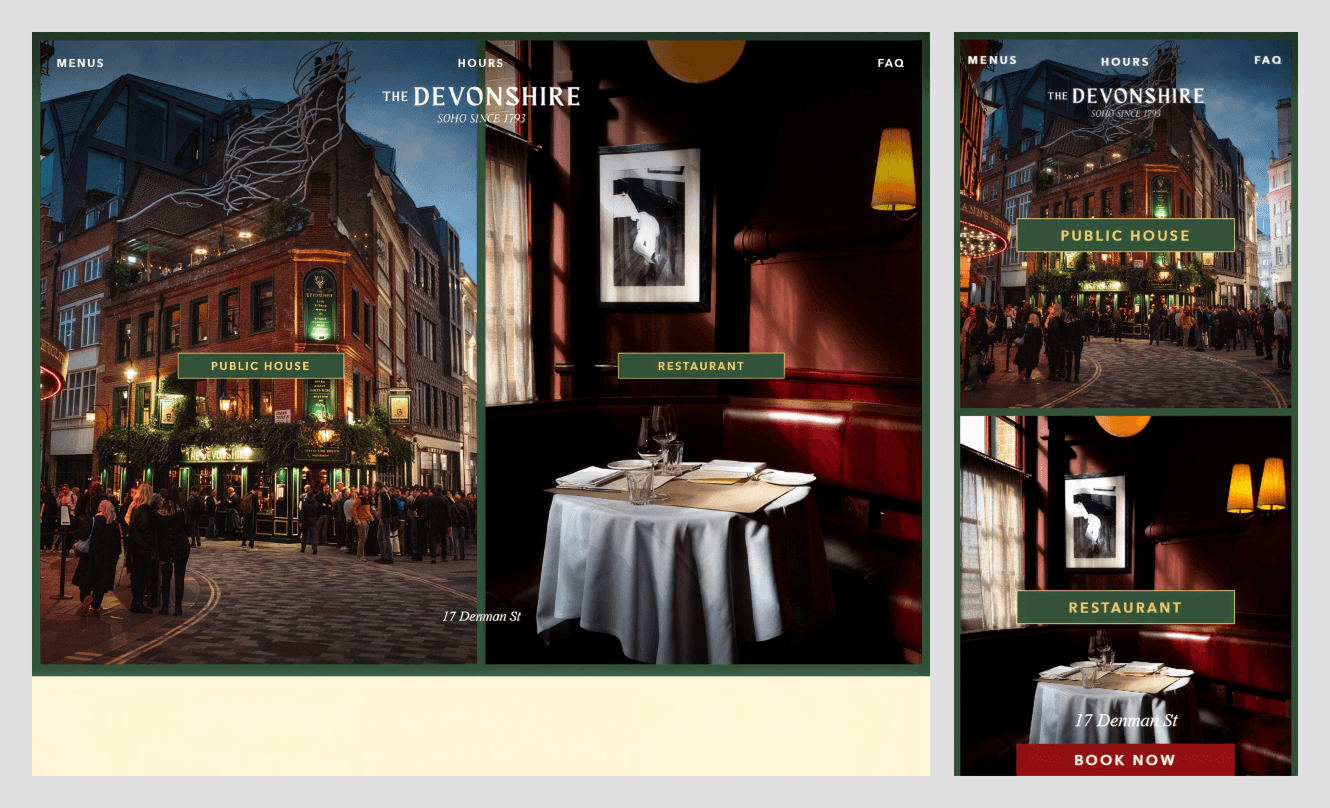
What stands out: A red “Book Now” button stays locked at the bottom to make a reservation.
Goal: Table bookings
Primary CTA: Book Now
Scroll order: Split hero → public house → restaurant and grill room → private dining → menus → hours → jobs → gift vouchers → FAQ → newsletter
Built with: HTML with jQuery
Industry: Hospitality (pub and restaurant)
Score: 9/16 (Lighthouse mobile: performance 60, accessibility 62)
Why it converts:
- The Book Now button gives quick access to desktop and mobile users.
- The split hero lets visitors choose Public House or Restaurant in one tap.
- FAQ answers every question a visitor has about booking.
Steal this:
- Answer your most-asked booking question in the FAQ word for word.
15. Zara Webb: newborn care specialist in London

What stands out: This one-page website describes the services in the words a tired parent would use ("Feeling overwhelmed?" "Need extra hands right now?").
Goal: Inquiries from expecting and new parents
Primary CTA: Work with me
Scroll order: Hero → intro and credentials → support by need → services → about → contact
Built with: Readymag
Industry: Family and childcare services
Score: 9/16 (Lighthouse mobile: performance 26, accessibility 86)
Why it converts:
- Services are grouped by how the parent feels.
- Uses credentials as short facts. (For example, "6+ years supporting families," "24/7 live-in and flexible care.")
- A WhatsApp button next to "Work with me" so tired parents can contact quickly without wasting time writing mail.
Steal this:
- Name your service tiers after the customer's situation, not package names.
How should you structure a one-page website?
A one-page website is a highly convertible sales machine when everything is done right. For that, your web page design needs to follow the laws and principles: Hick’s Law to reduce choices, Fitts’s Law to make actions easy, Jakob’s Law to use familiar patterns, and visual hierarchy + Gestalt principles for guiding user attention.
But most founders don’t have time to study these principles. Wavespace has made it simpler, so you can understand how to make a one-page website into a money-making machine.
In short: A one-page or single-page website works in this order: Hero, proof, offer, process, social proof, FAQ, and a final call to action.
It answers the questions every visitor has: What is this? Is it trustworthy? What value does it provide? How does it work? How much does it cost, and how do I get it?
Use this ten-section Wavespace single-page section blueprint:
- Hero: A headline says what you do and who you serve, a simple subline, and a main “Get Service” button.
- Proof section: Show proof in the form of client logos and ratings from known customers.
- Problem and solution: A section with two to three sentences explaining how you solve problems visitors are struggling with.
- Service or product showcase: Show off what you sell and your process with a short description and a button.
- How it works: Show three to five steps from making the first contact.
- Testimonial section: Quotes, names, and the results they got from your services.
- Pricing or offer: Display how much your service costs, the starting price, and the best price to get it.
- FAQ: A frequently asked questions section with answers to objections and queries you hear the most.
- Booking or contact: A short form or phone number or calendar to get in touch. Also add a main CTA button here.
- Footer: A clean footer section with address, phone number, email, and legal links such as privacy policy, refund policy, and terms and conditions.
Not every section will apply to you, so remove any that don't. For design, get help from UX design services. A UX designer can audit your competitors and find out what your site needs to compete.
Wix’s Plumbing Gurus example follows the first half of this pattern, with a phone number and call to action. In short, it lets visitors get the service fast without thinking.
Do one-page websites rank on Google?
Yes. Many founders are still confused about this, but one-page websites rank on Google just like multi-page websites. Not only Wavespace but also Wix says that a one-page website ranks on Google. But there are caveats. A one-page site has one URL and targets one primary keyword, so the SEO scope becomes narrower.
Despite a one-page website having a narrower SEO scope, you can rank with quality content and SEO-driven web design. Here’s what helps:
- One primary keyword per page.
- Use the primary keyword in the H1, meta title, meta description, and the opening sentence.
- Descriptive H2s for each section to clear up any confusion.
- Keep the page light so the one-page site can load all its content at once.
- Structured schema such as organization or LocalBusiness, plus FAQPage if the page has an FAQ.
- Menu links that point to section IDs with href anchors, not script-only buttons.
- SEO-optimized alt text for every image on the page.
- Keep all text as real HTML, not inside images or blocks that load on click.
What hurts:
Trying to rank for multiple services or locations on one URL damages SEO rankings. You will lose visibility if your single page fights for plumbing, heating, and cleaning in multiple towns.
A small section for each service gives Google little to work with. Heavy animation, Lottie files, parallax animation, and video files make your page slow. Avoid these and follow the "what helps" part to rank your website.
When to switch to multiple pages
Switch when necessary. The best time is when you have more than one service or location to rank. Each one needs its own URL, H1, meta title, and meta description.
Also switch when you add a blog, launch multiple products, or have more content than fits on one scroll. A great rule of thumb: If you want to show up in the “[service] in [city]” search on Google, you need a dedicated page for that.
One-page or multi-page website: which one is best for business?
Ask these five questions to find out whether you need a single-page or multi-page website:
- Do you sell one core service or product?
- Can you explain the core service under ten sections?
- Do you want visitors to take just one core action (calling, booking, or other)?
- Do you need to rank for one topic?
- Can you do without a blog or catalog for the foreseeable future?
If you answered yes to four or five, then you are fine with a one-page website. Two or fewer yeses point to a multi-page site.
How to build a one-page website that converts?
Whether you're a founder or UI/UX designer, you can make a high-converting one-page website by following our curated checklist.
1. One goal and one audience. Write the goal in one sentence. For example, “Local homeowners book a free quote.” Ensure every section supports this goal.
2. Keep the keywords in the header; include them in headings and subheadings. Keep headlines under three lines. Users skip sentences that are more than 25 words.
3. Use the ten-section blueprint for your website layout. Remove the unnecessary sections.
4. Collect the social proofs, reviews, and testimonials before designing. And design your one-page site around them.
5. Keep forms to fewer than five fields and get other information later.
6. Make the website fast, compress images to decrease file size, keep up with Core Web Vitals, and ensure a responsive & mobile-first website.
7. Add an anchor menu, run accessibility checks on color contrast and form labels, and support full keyboard navigation.
Designer & developer choice
Choose a web designer, web design agency, or landing page design agency with experience. Check out their previous work and don’t fall for templates. Also, choose a developer who lets you control everything; ensure you have full access to edit, add, and delete after handover.
Check that you can add and edit meta titles and descriptions, add schema and structured data, and set section IDs for anchor links. Confirm all of this on the first discovery call before you commit.
Mistakes to avoid
- Video autoplay on the first screen.
- Scrolljacking (overrides normal scrolling).
- Unclear menu labels (for example, “Explore”).
- A CTA that appears only once.
- Unoptimized images.
- Shipping too much JavaScript.
Conclusion
A one-page website converts when it has only one goal. A CTA in the header (repeated 1–3 times), social proof before anyone asks. Out of 15 one-page websites, we scored 14/15 that have a call to action in the first screen. The average score is 12.5 out of 16. So try getting your site to score at least 13.
If you are building a one-page site, use the same eight criteria to get the best result. Goal clarity, call to action on the first screen, proof, scroll flow and menu, mobile layout, speed, on-page SEO, and accessibility. And if you already have one, start with your lowest-scoring criterion.
Frequently asked questions

A one-page website presents the main information on the website, such as services, benefits, proof, and contact details, on a single page.
Yes. A one-page website can rank for relevant searches, but its ability to target different topics is limited by the amount and variety of content that fits naturally on one page.
A one-page website presents a business or offering in a single-page experience. A landing page is designed around a particular campaign or conversion goal and can exist within a multipage website.
Common sections include a hero, value proposition, services or product details, social proof, how it works, pricing where relevant, FAQs, contact information, and a footer. The final structure should match the business's needs.
Consider a multipage website when the business needs to address distinct search intents, explain several complex services, publish regular content, or support multiple products and audiences.

More related blog
Design & development in one team. Let’s talk!















.png)



Francisco, CA 94105, United States





































.avif)