

35%+
19 → 76
47%+
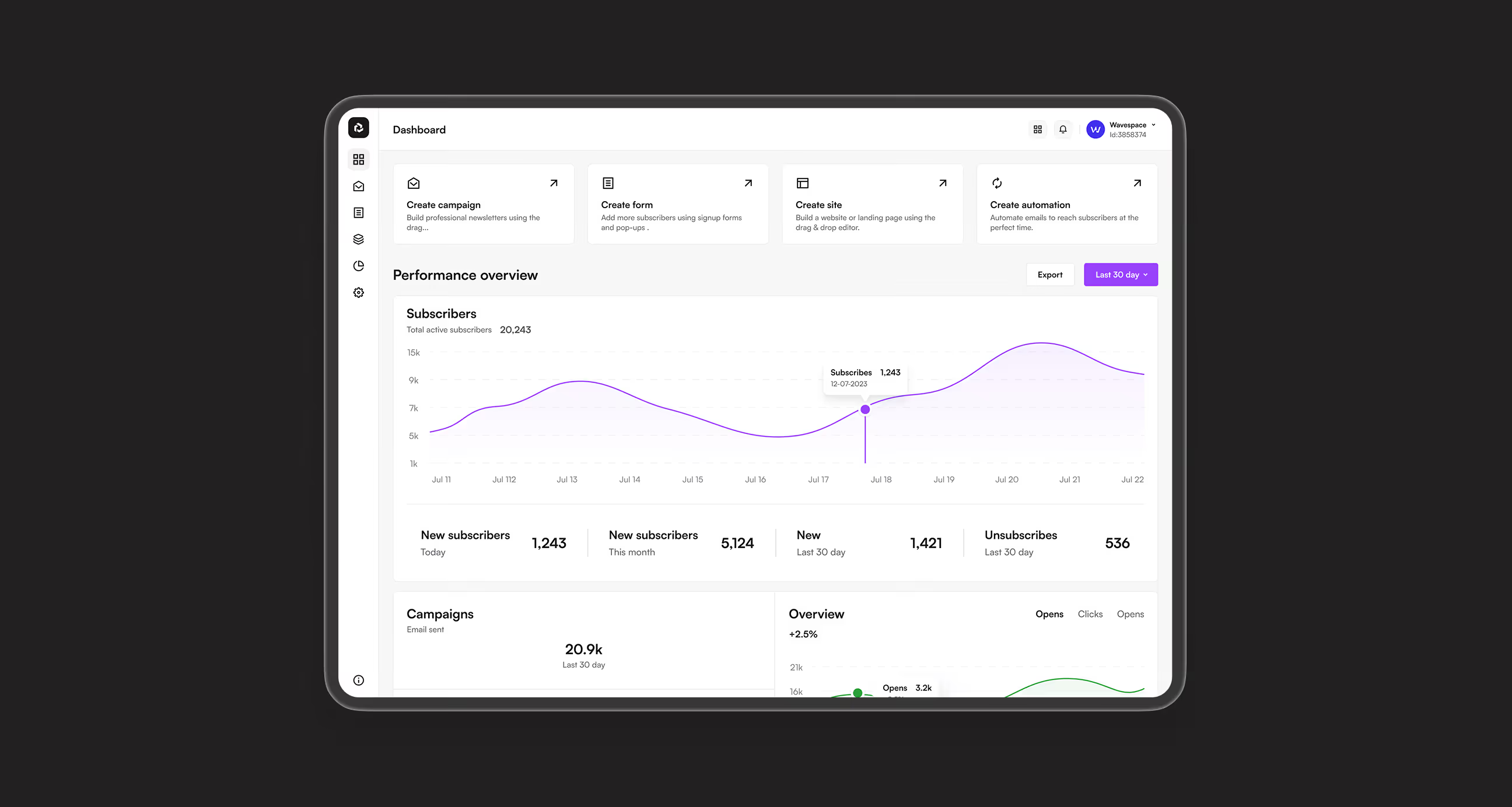


Sendwave is an email marketing and automation platform that helps businesses create campaigns, build forms, and automate customer journeys in one place. It combines campaign management, subscriber tracking, and AI-powered workflows to help marketers send the right message at the right time without switching between tools.
We built a unified platform with clear navigation, visual automation flows, and organized data that works from day one.
Challenges marketers face every day
Email marketing felt scattered and overwhelming. Marketers couldn't build campaigns quickly, struggled connecting forms to automation, and lacked clear analytics to measure success.
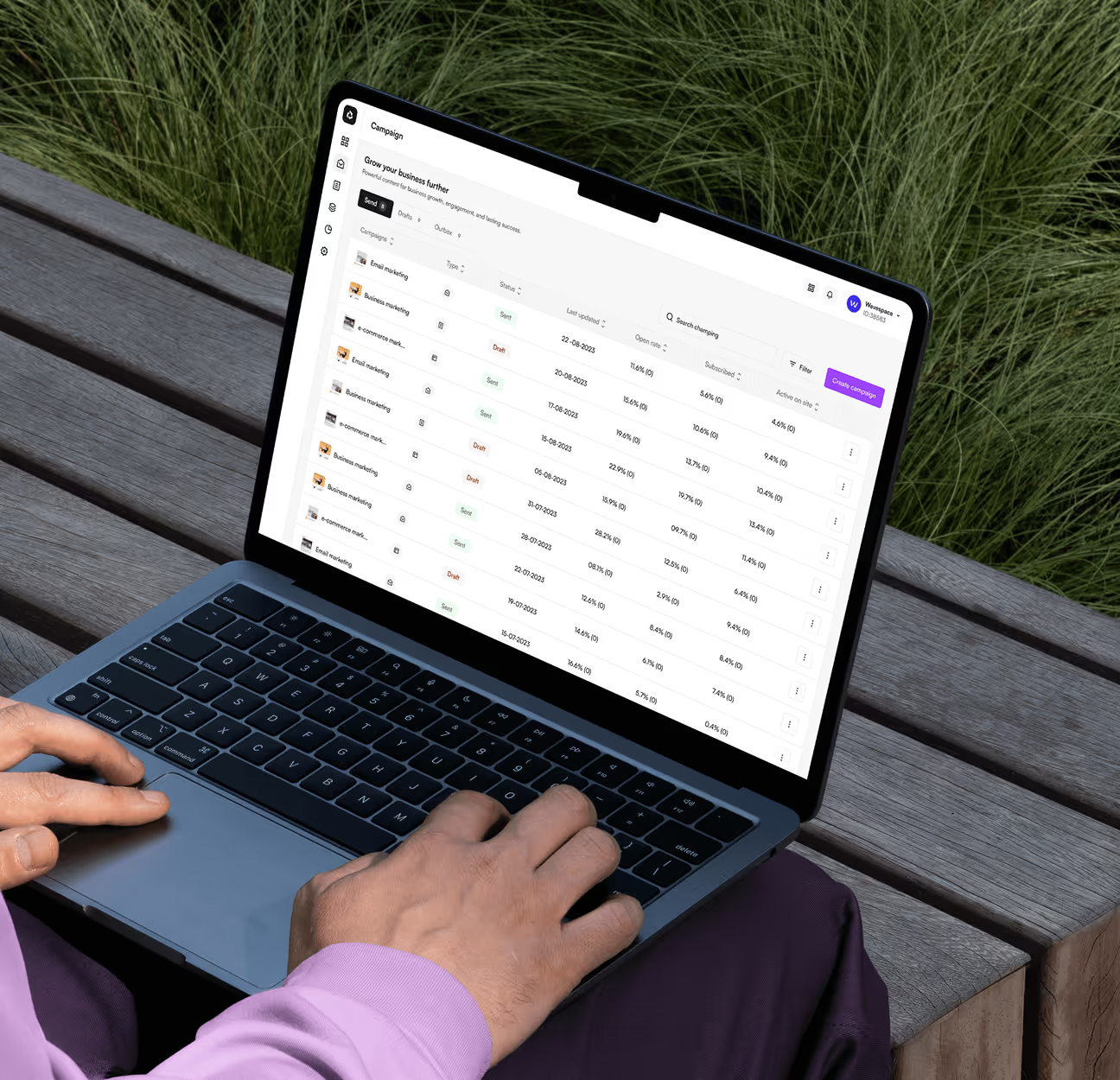
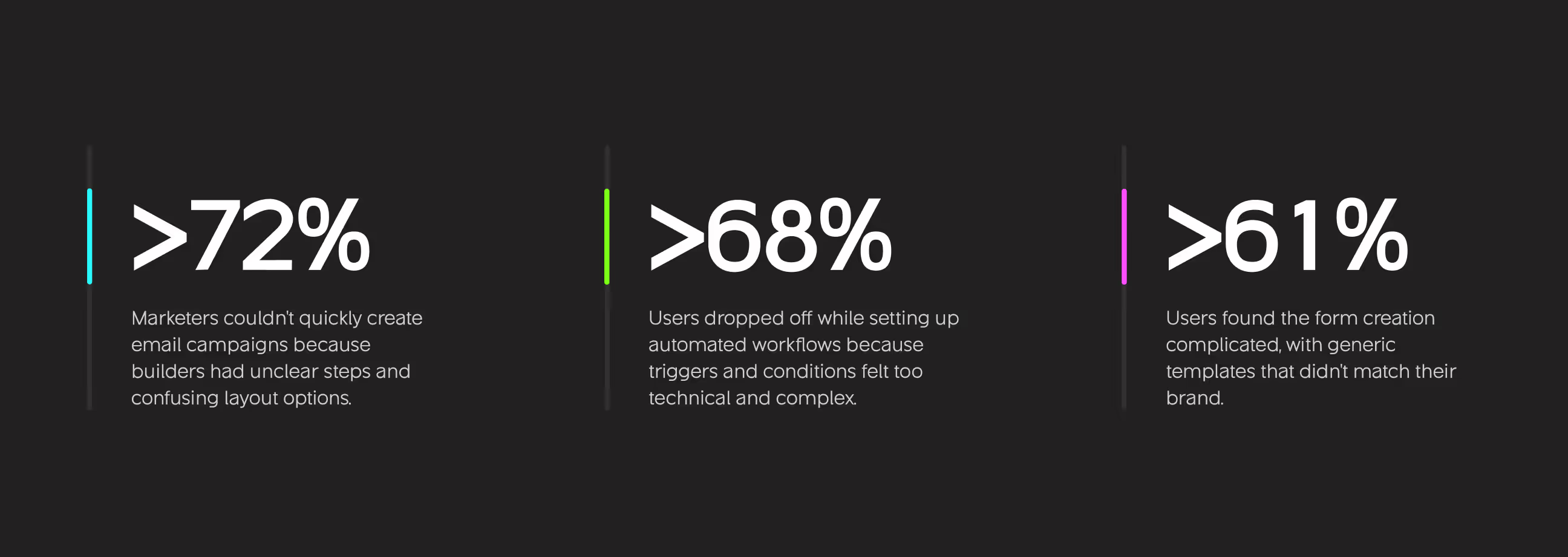
- Campaign creation too complex: Users couldn't quickly build and send email campaigns because builders had unclear steps, hidden features, and confusing layout options.
- Disconnected tools: Teams had to switch between separate platforms for email campaigns, signup forms, and automation workflows, wasting time and losing data context.
- No clear automation: Marketers wanted to automate customer journeys but found existing tools too technical with unclear triggers, conditions, and flow management.
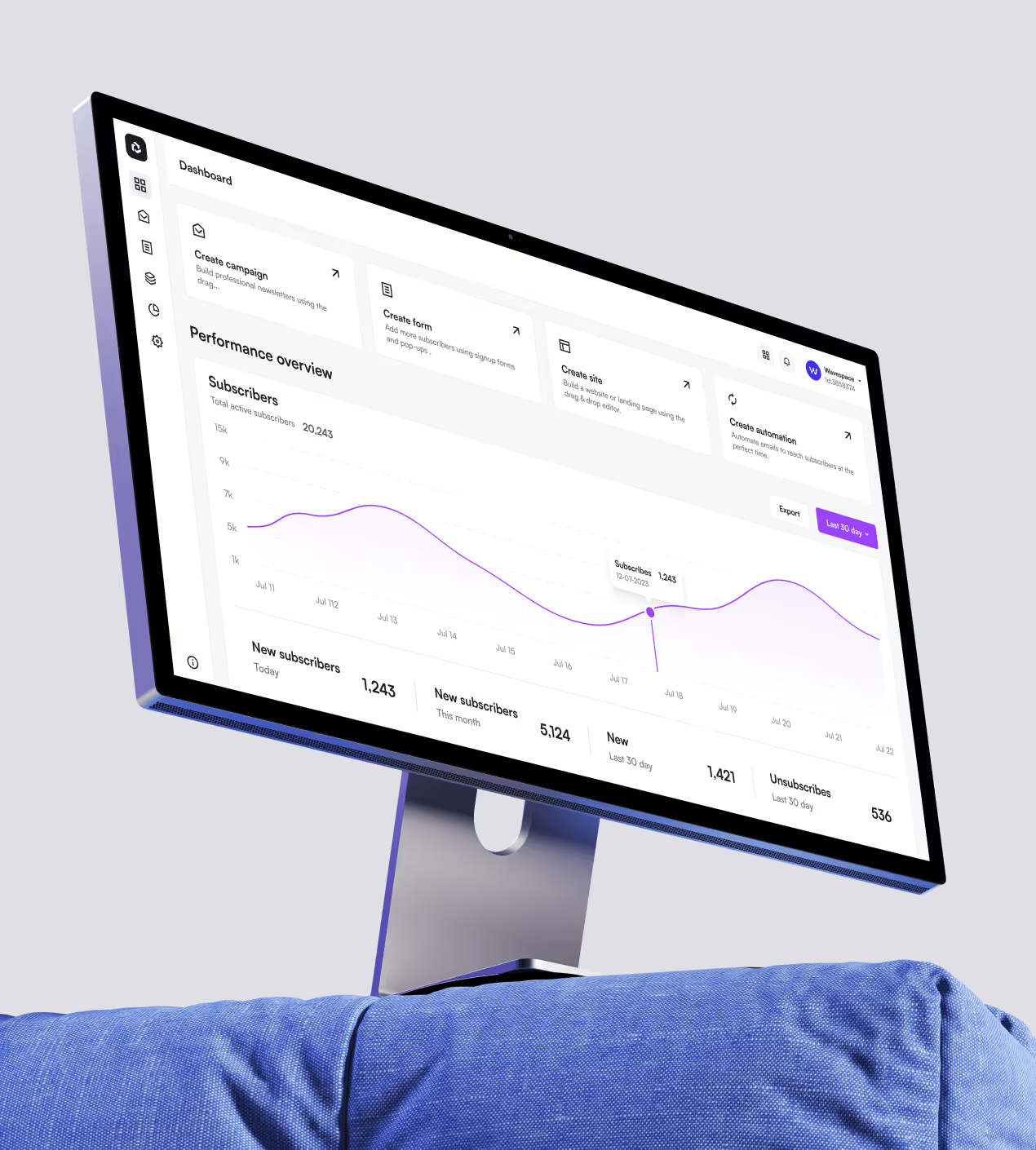
- Analytics hard to understand: Performance dashboards showed too much data without clear insights on what actually drove opens, clicks, and conversions.
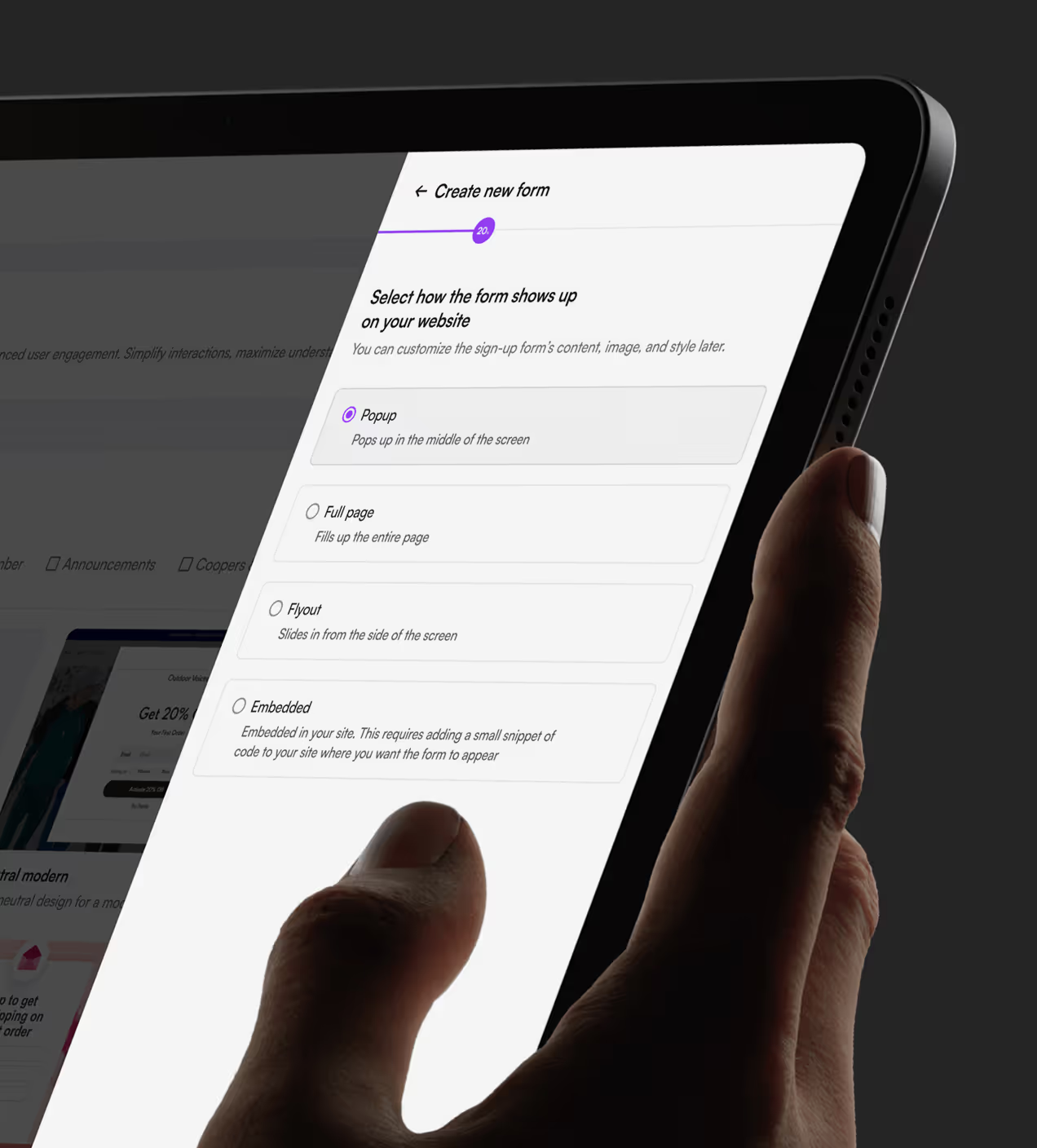
- Form builder limitations: Creating signup forms required coding knowledge or resulted in generic templates that didn't match brand identity or capture needed subscriber data.
What we designed to solve these problems
We designed Sendwave to unify email campaigns, forms, and automation in one platform with visual builders, AI assistance, and clear analytics that work together seamlessly.
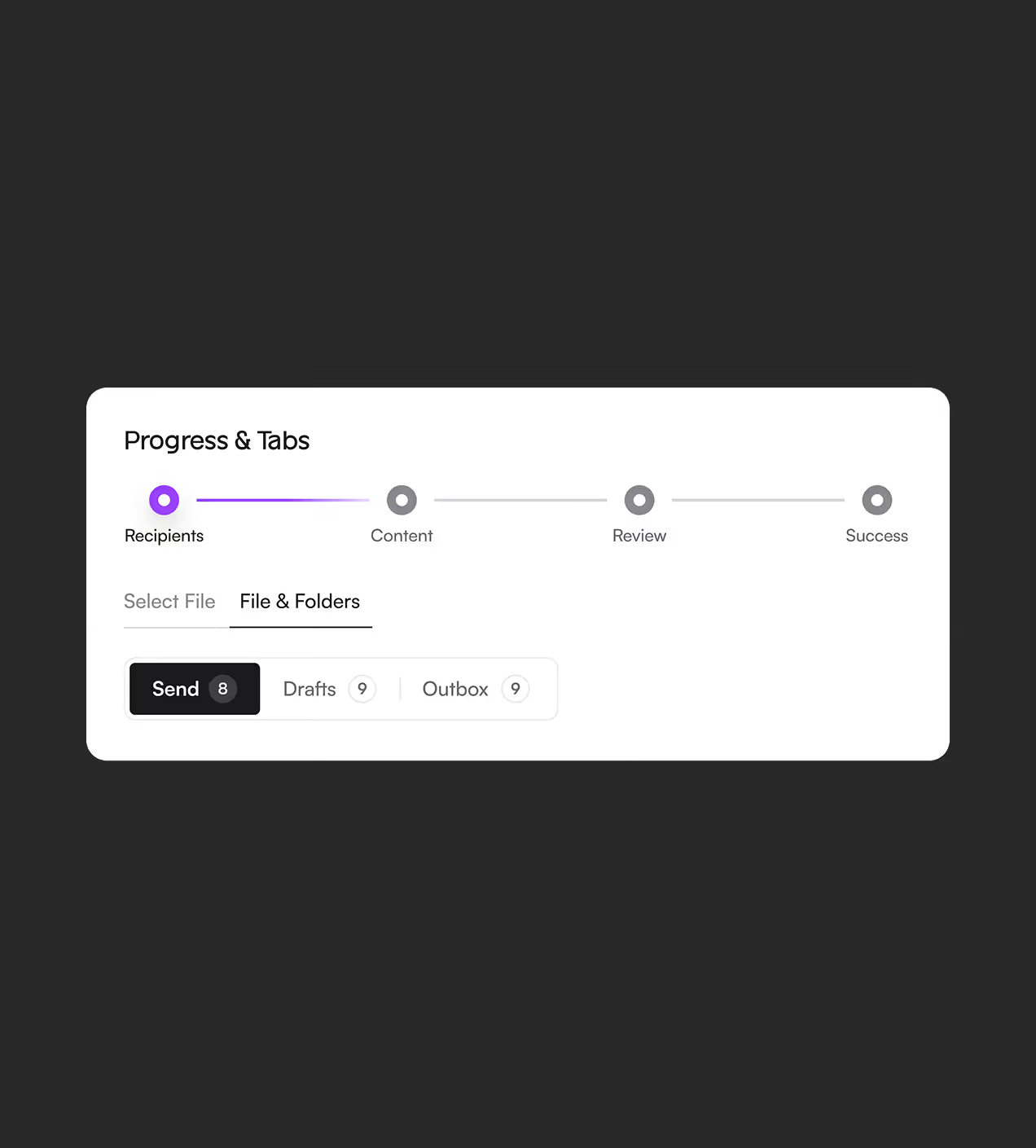
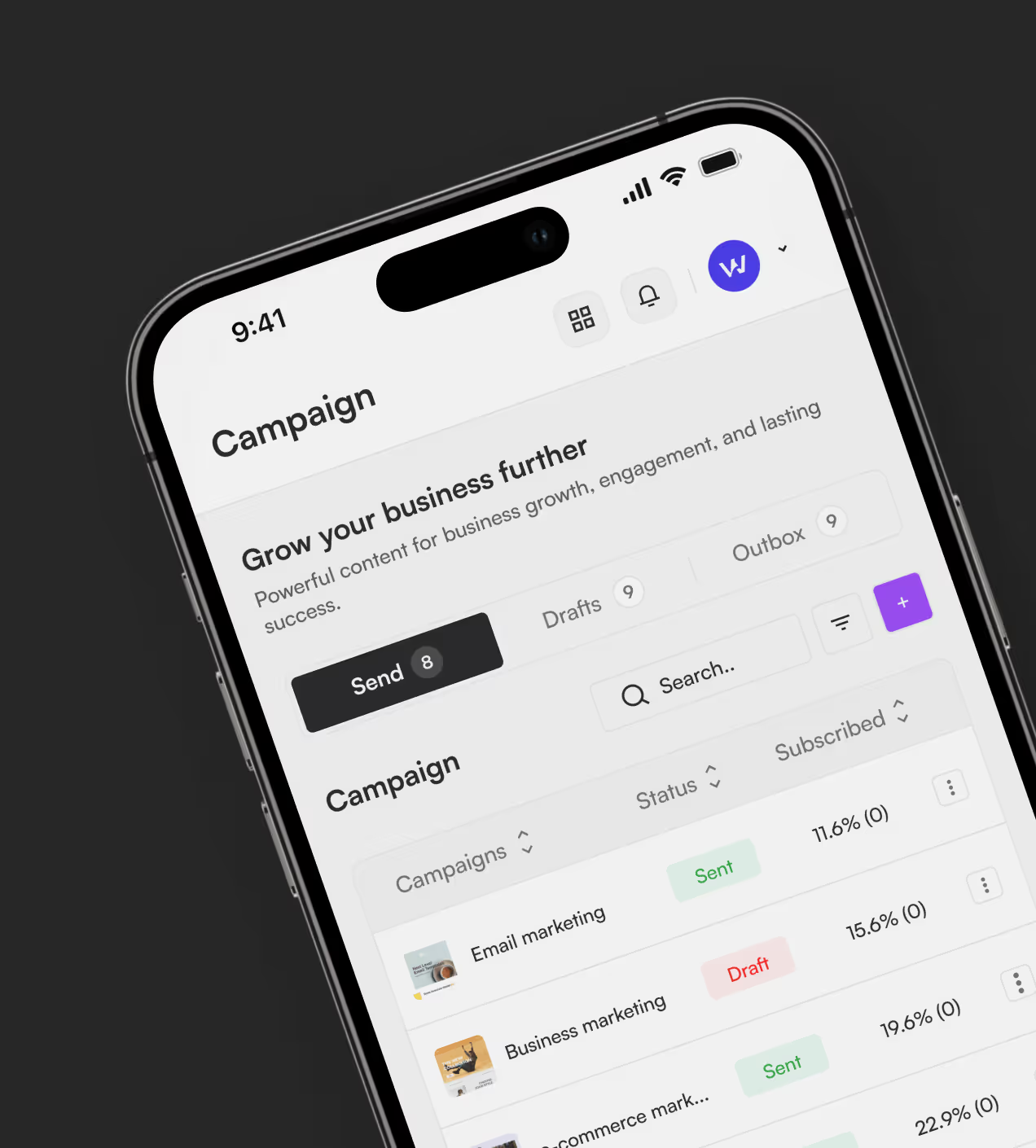
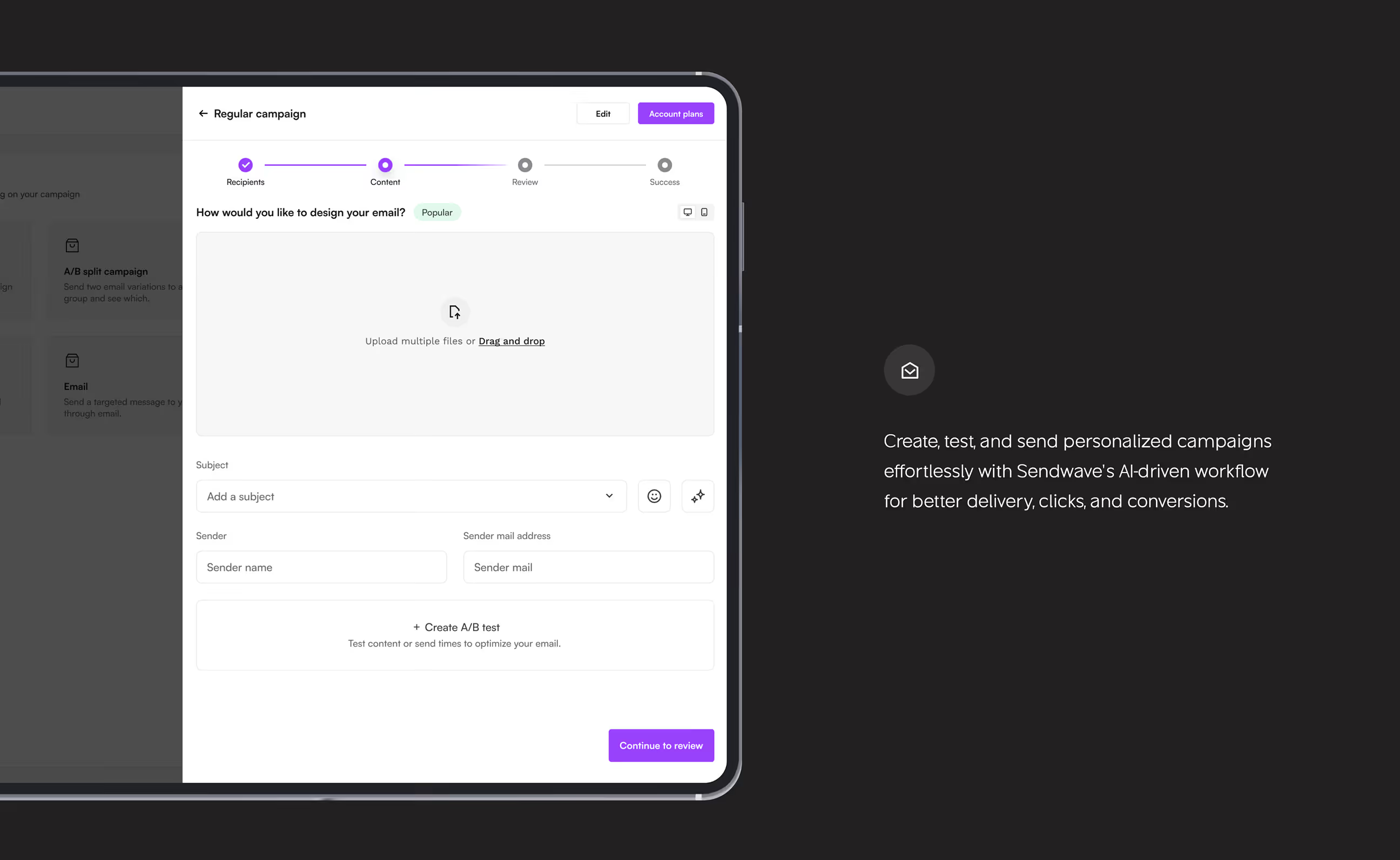
- Visual campaign builder: Created a step-by-step email builder with drag-and-drop content blocks, a template library, and an instant preview that guides users from recipients to success confirmation.
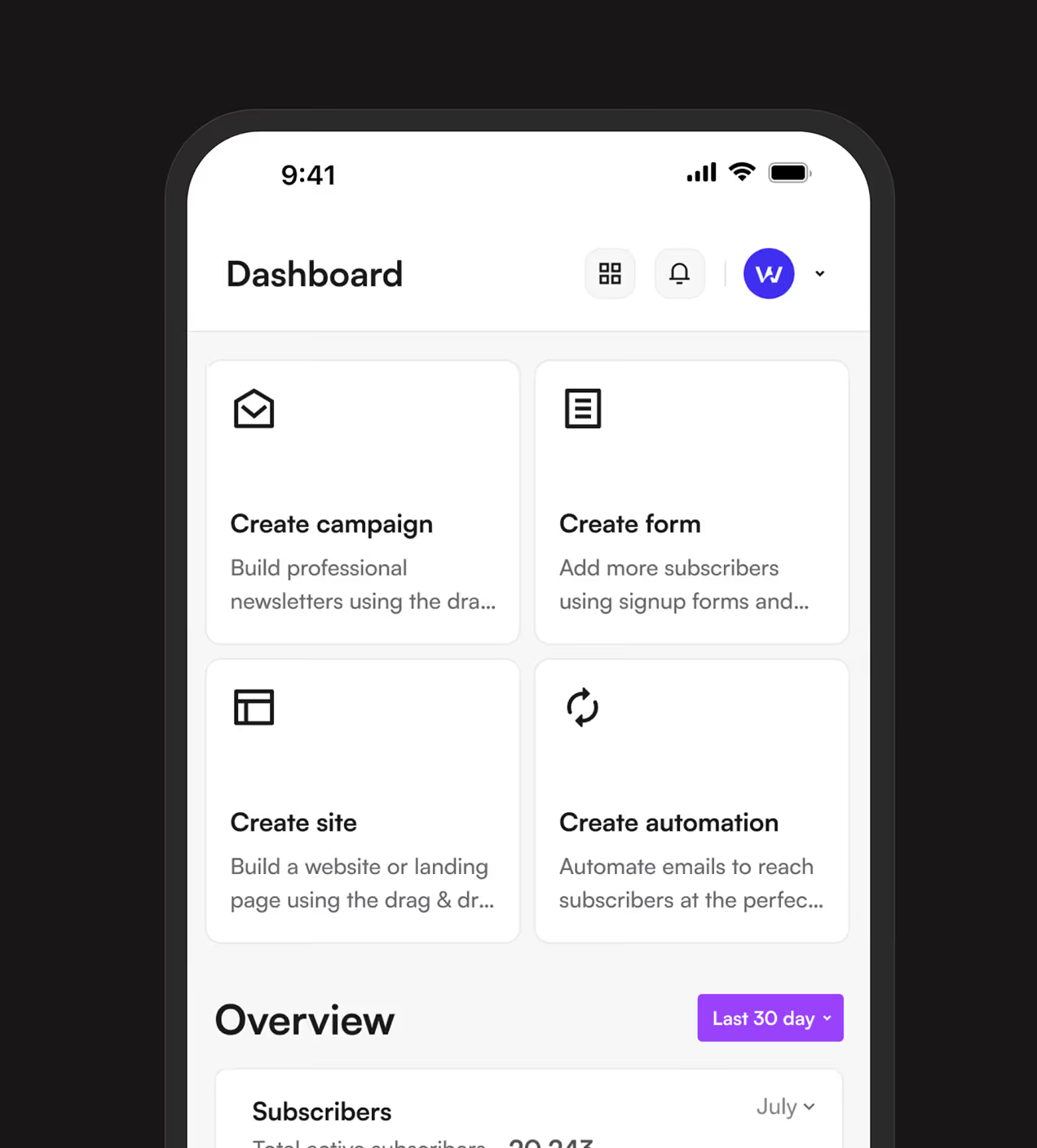
- Unified platform experience: Combined campaigns, forms, automation, and analytics in one interface with consistent navigation so marketers never switch tools or lose context.
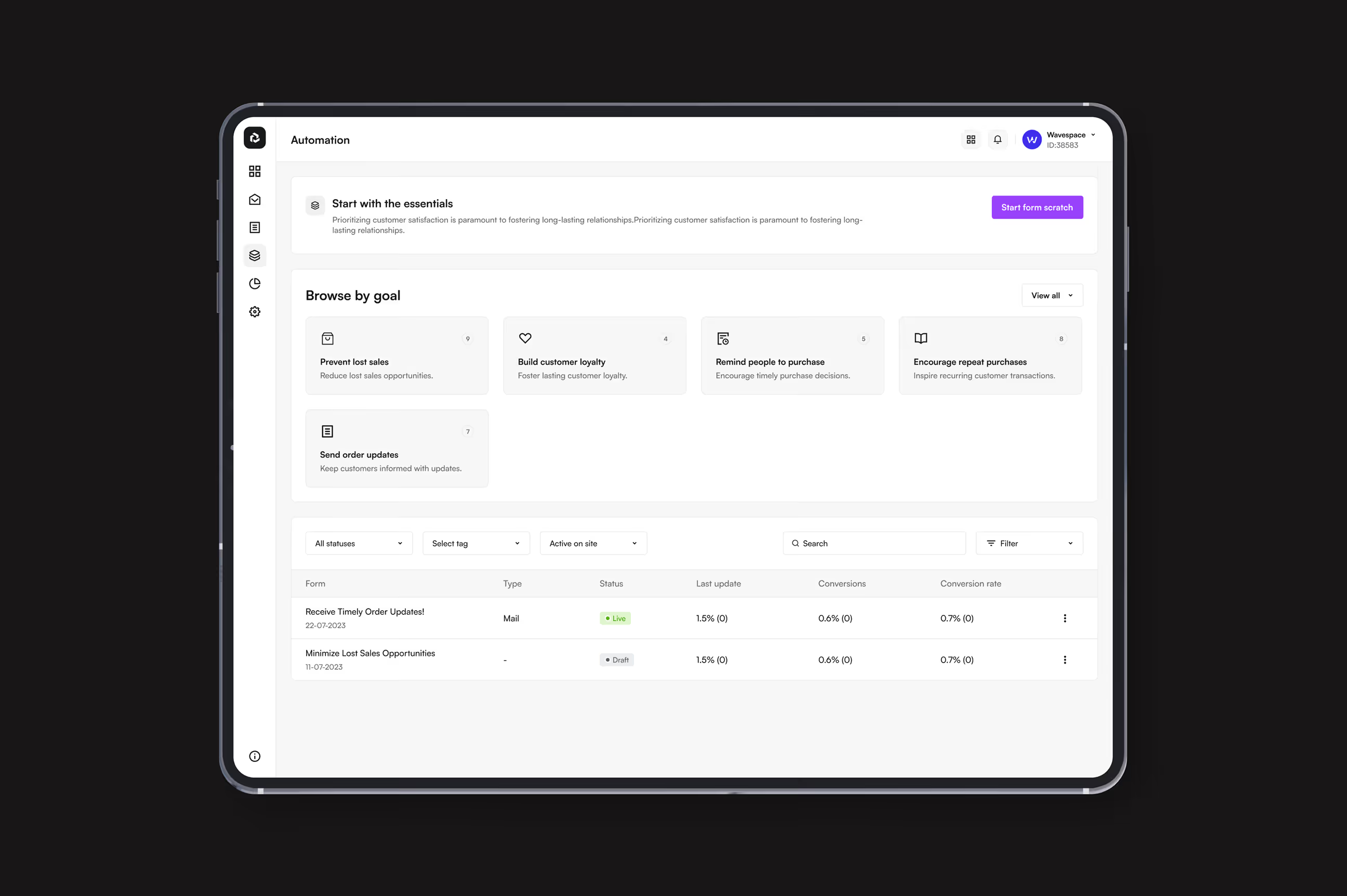
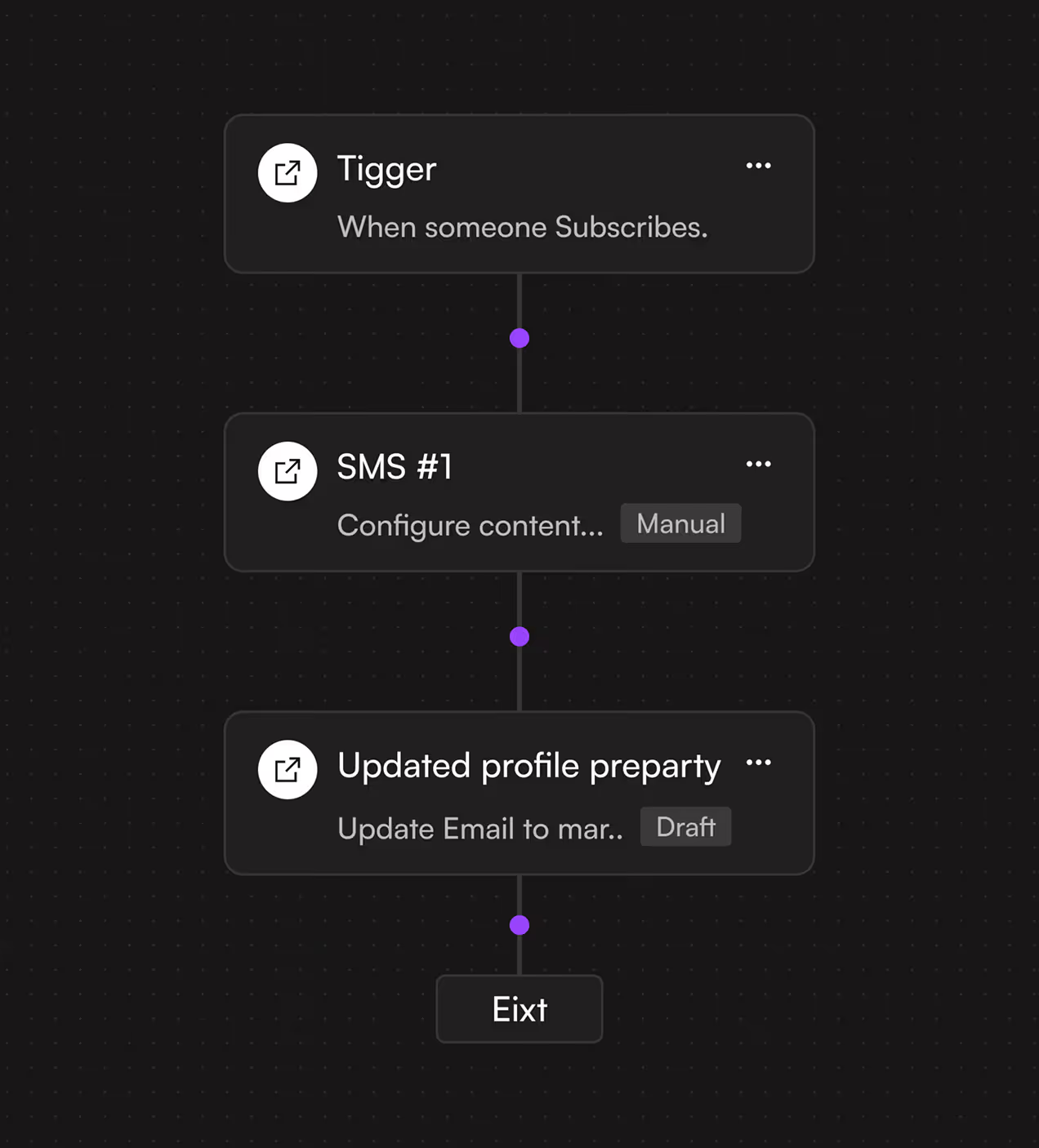
- Visual automation flows: Built a goal-based automation system where users browse pre-made workflows like "prevent lost sales" or "build customer loyalty" and customize with visual flow builders.
- Clear real-time analytics: Designed dashboards that surface key metrics first—open rates, click rates, conversions, with filterable views and performance comparisons that drive decisions.
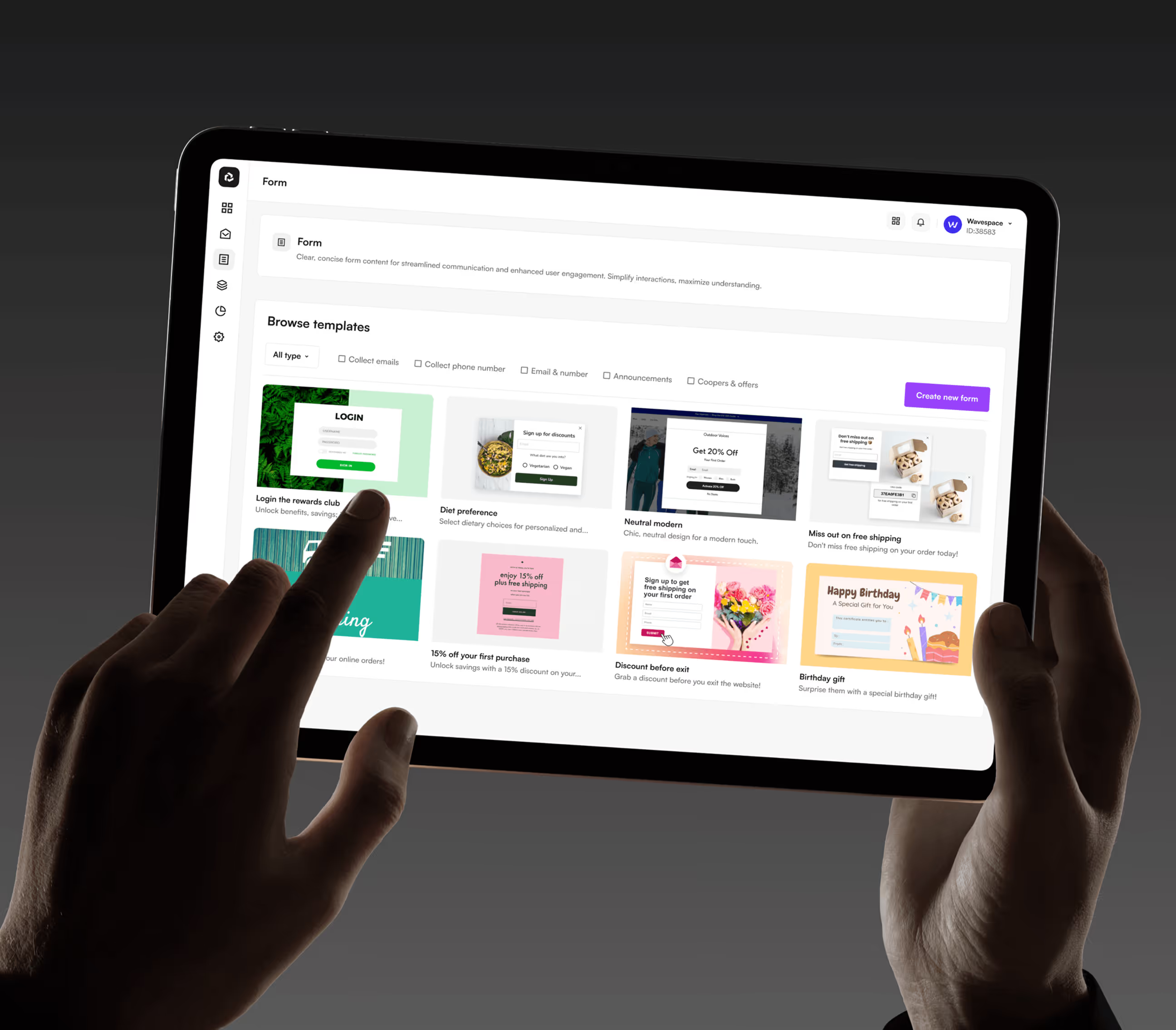
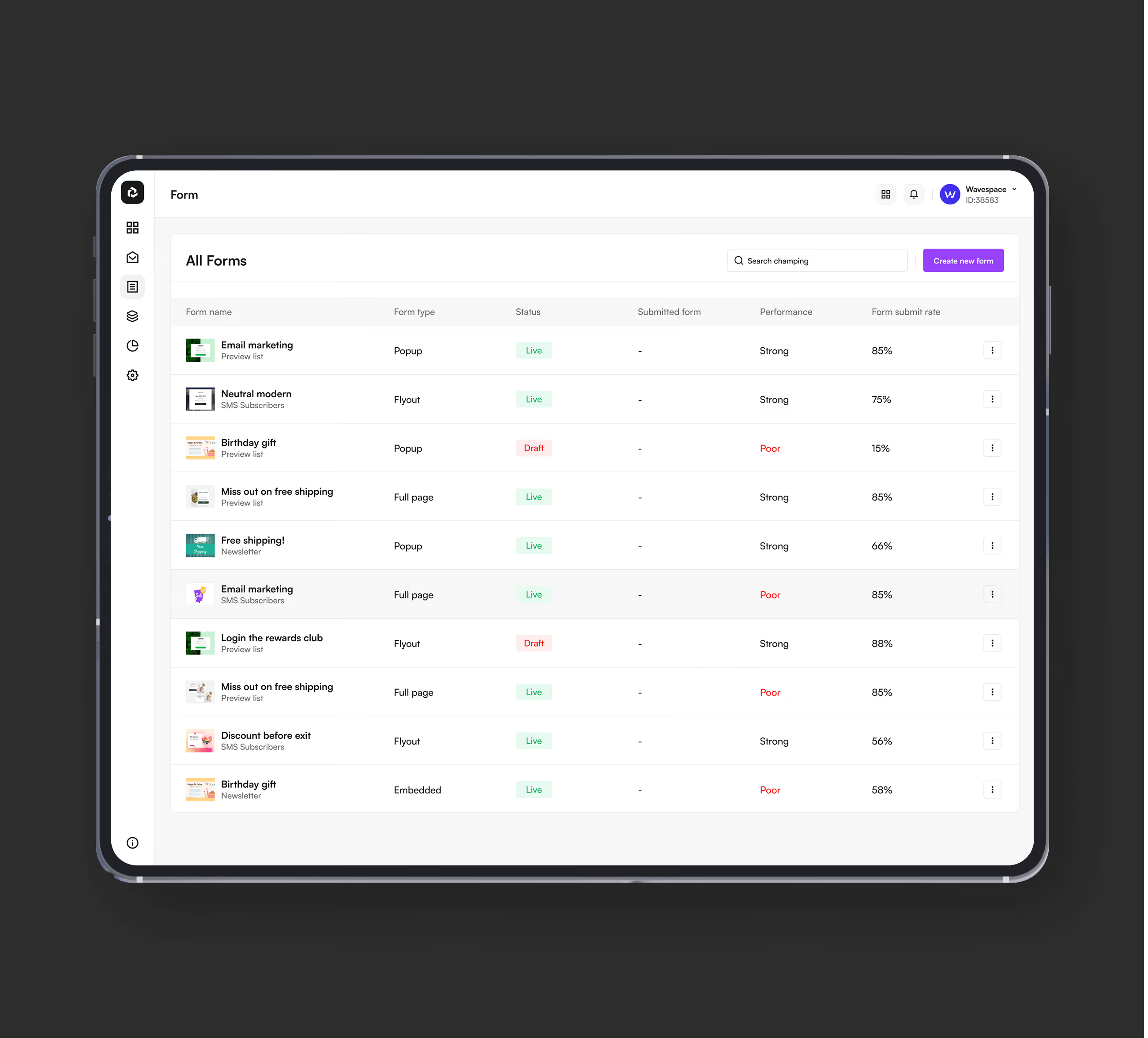
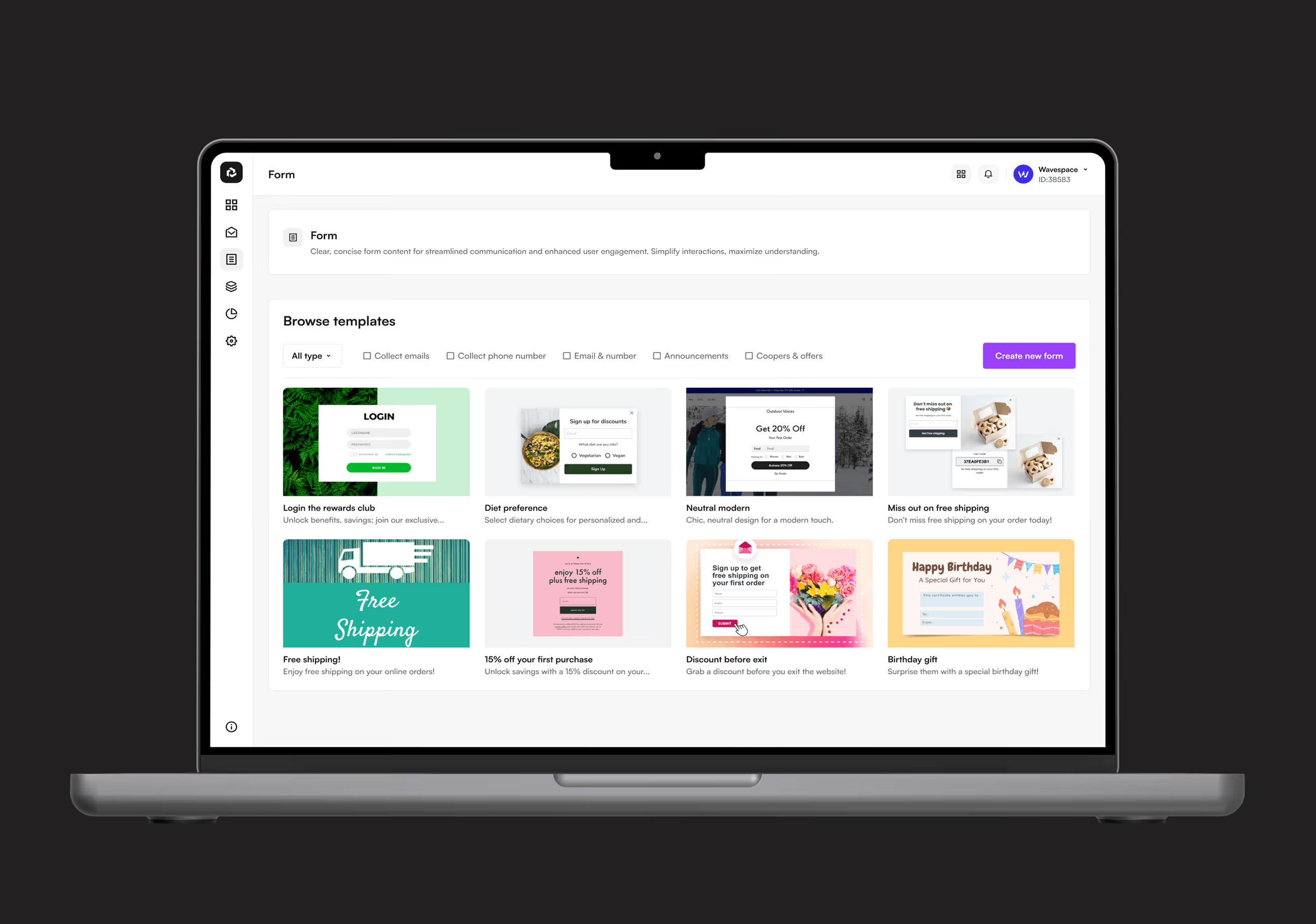
- No-code form builder: Created a template-based form system with signup, discount, and preference options that marketers customize without touching code while maintaining brand consistency.

The UX journey behind Sendwave design
We worked with email marketers, automation specialists, and small business owners to understand real frustrations before designing a single screen.
We worked with marketers, specialists, and business owners to understand real frustrations.
We organized how features connect so marketers can create campaigns and track analytics.
We built and tested low-fidelity screens with real marketing teams to validate our design direction.
We created a professional purple brand system with accessible components for marketers.
UX Research & Design Artifacts
We studied how We studied how marketing teams run campaigns to find what blocks them from creating emails, building forms, and automating workflows. The findings shaped every design choice.navigate healthcare to find what blocks them from completing bookings, ordering medicine, and accessing records.
- Automation workflow testing: Watched users attempt to set up automated customer journeys. Discovered confusing triggers, unclear conditions, and complex flow management stopped most from completing setup.
- Form builder usability studies: Tested signup form creation with non-technical marketers. Found template customization required too many steps and resulted in generic forms that didn't capture needed subscriber data.
- Design deliverables created: Built marketer personas, journey maps for campaign/form/automation creation, wireframes for all core modules, and high-fidelity prototypes based on real marketing workflow frustrations.


Building Sendwave's visual identity
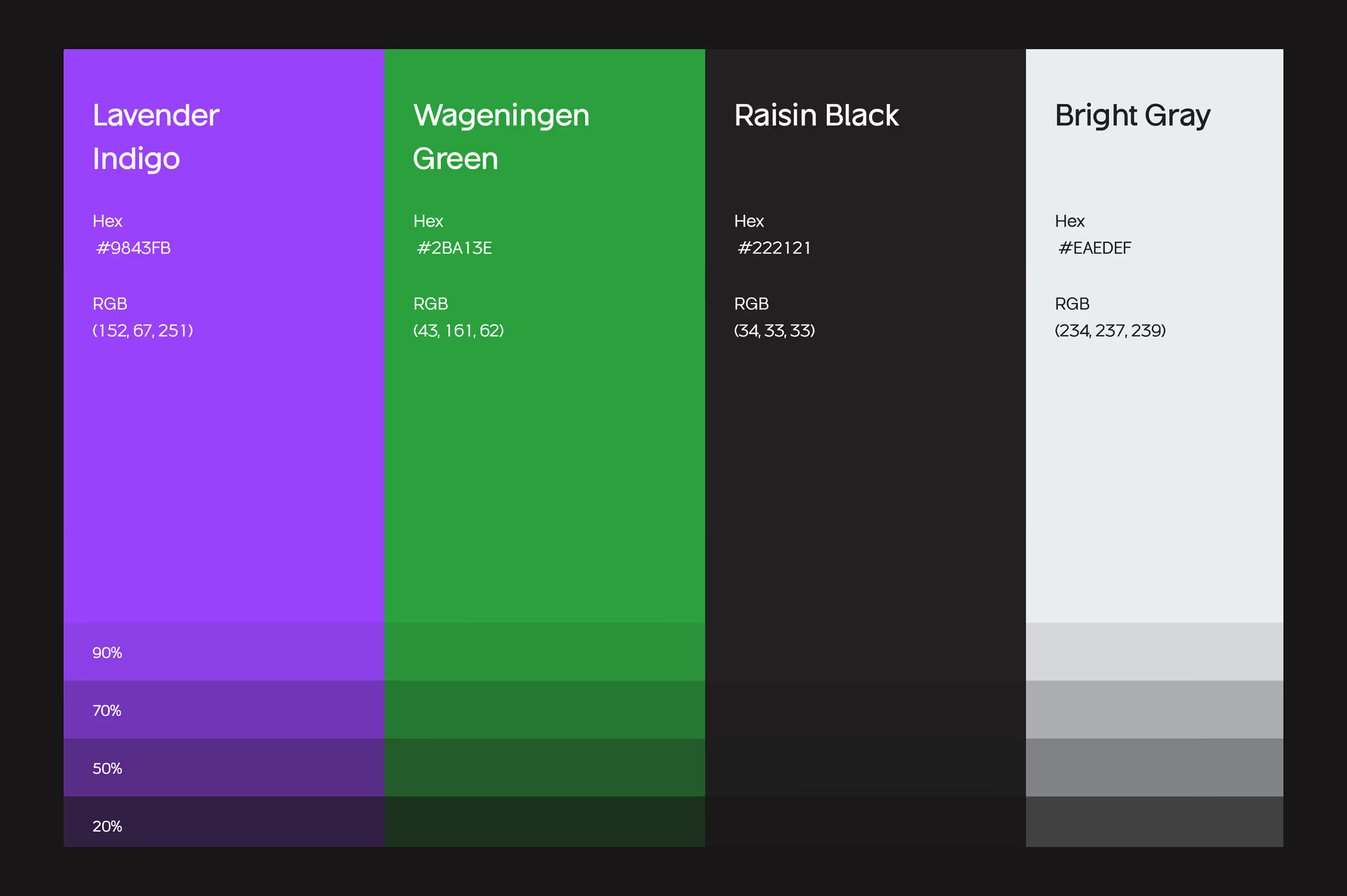
Sendwave's brand feels professional, modern, and approachable, exactly what busy marketers need when managing campaigns. The logo uses a geometric wave symbol representing connection and flow, showing how campaigns, forms, and automation work together. Lavender Indigo creates a premium, trustworthy feel while Wageningen Green signals success and growth in analytics and automation.
Sendwave's brand feels professional, modern, and approachable, exactly what busy marketers need when managing campaigns. The logo uses a geometric wave symbol representing connection and flow, showing how campaigns, forms, and automation work together. Lavender Indigo creates a premium, trustworthy feel while Wageningen Green signals success and growth in analytics and automation.

Building Sendwave's design system
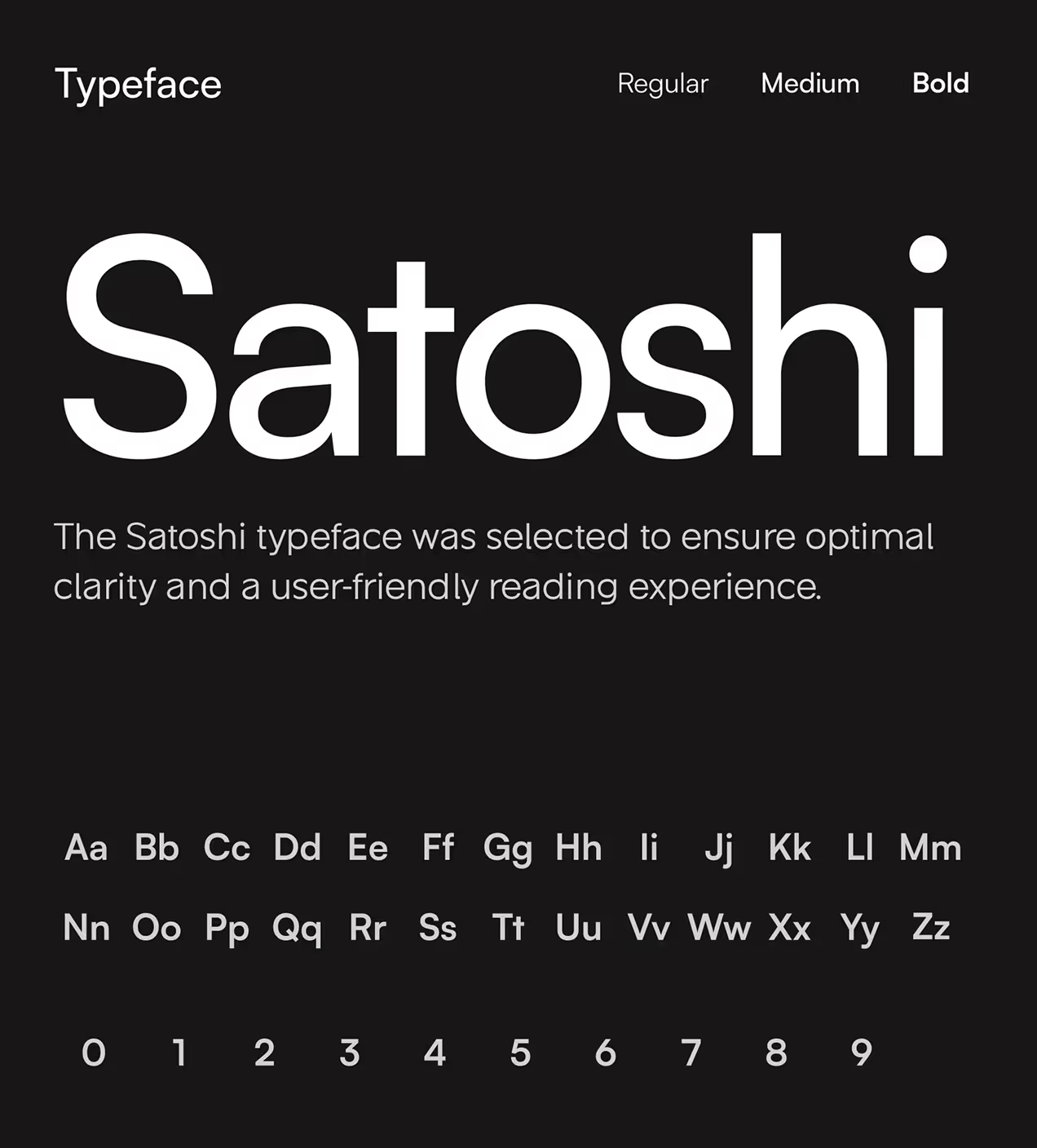
We built a design system to keep Sendwave consistent across web and mobile. The system uses Lavender Indigo for primary actions like creating campaigns and launching automation, Wageningen Green for success states and completed flows, with Bright Gray and Raisin Black for backgrounds and contrast. Satoshi font keeps text clear during quick marketing decisions.
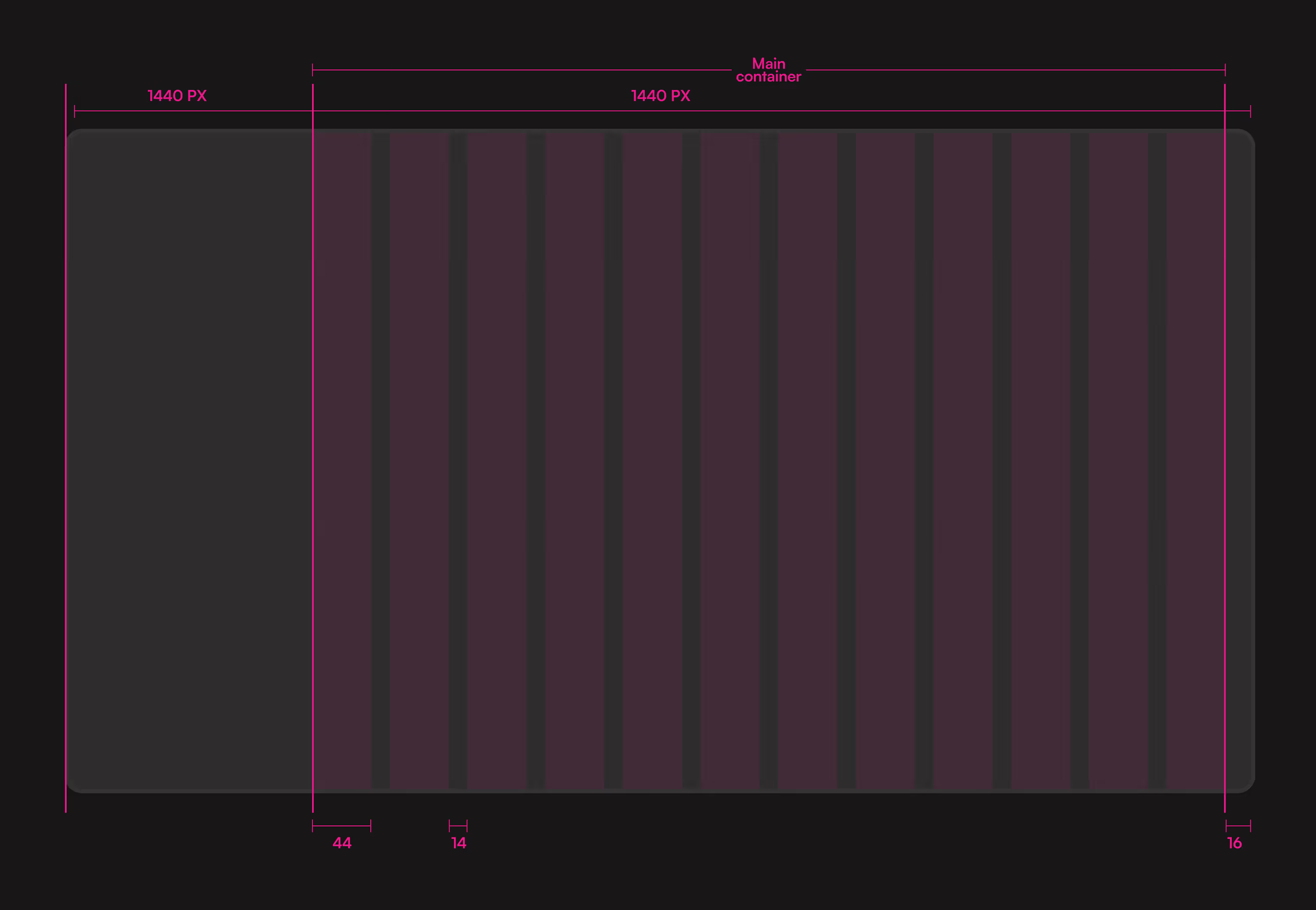
Components like campaign cards, form templates, automation goal cards, and analytics dashboards follow the same spacing and style rules. A 12-column grid at 1440px keeps layouts balanced. Everything scales across devices, making it easy for developers to add new features without starting from scratch. This keeps Sendwave looking professional and trustworthy as the platform grows.
How we made campaign building simple
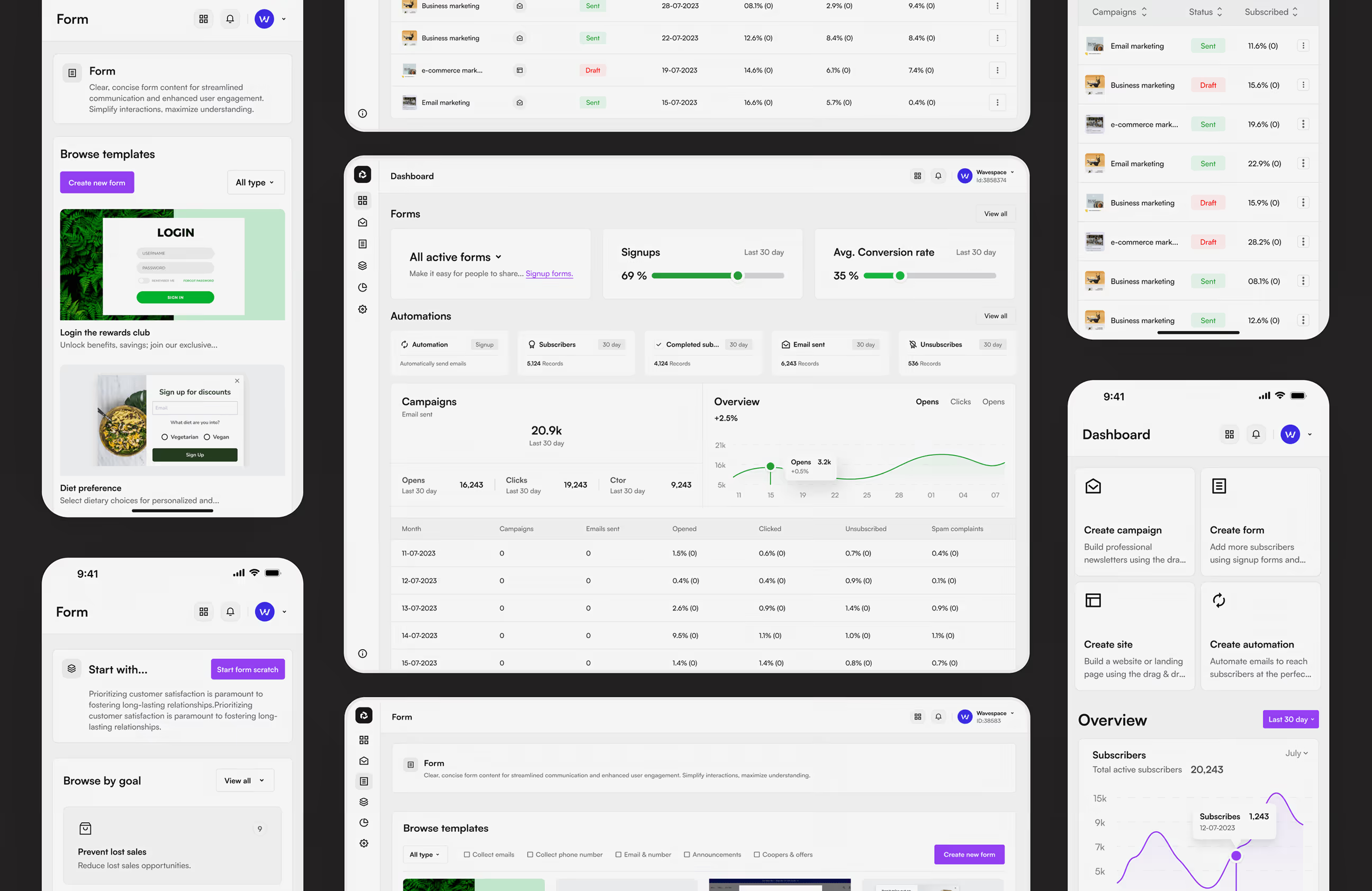
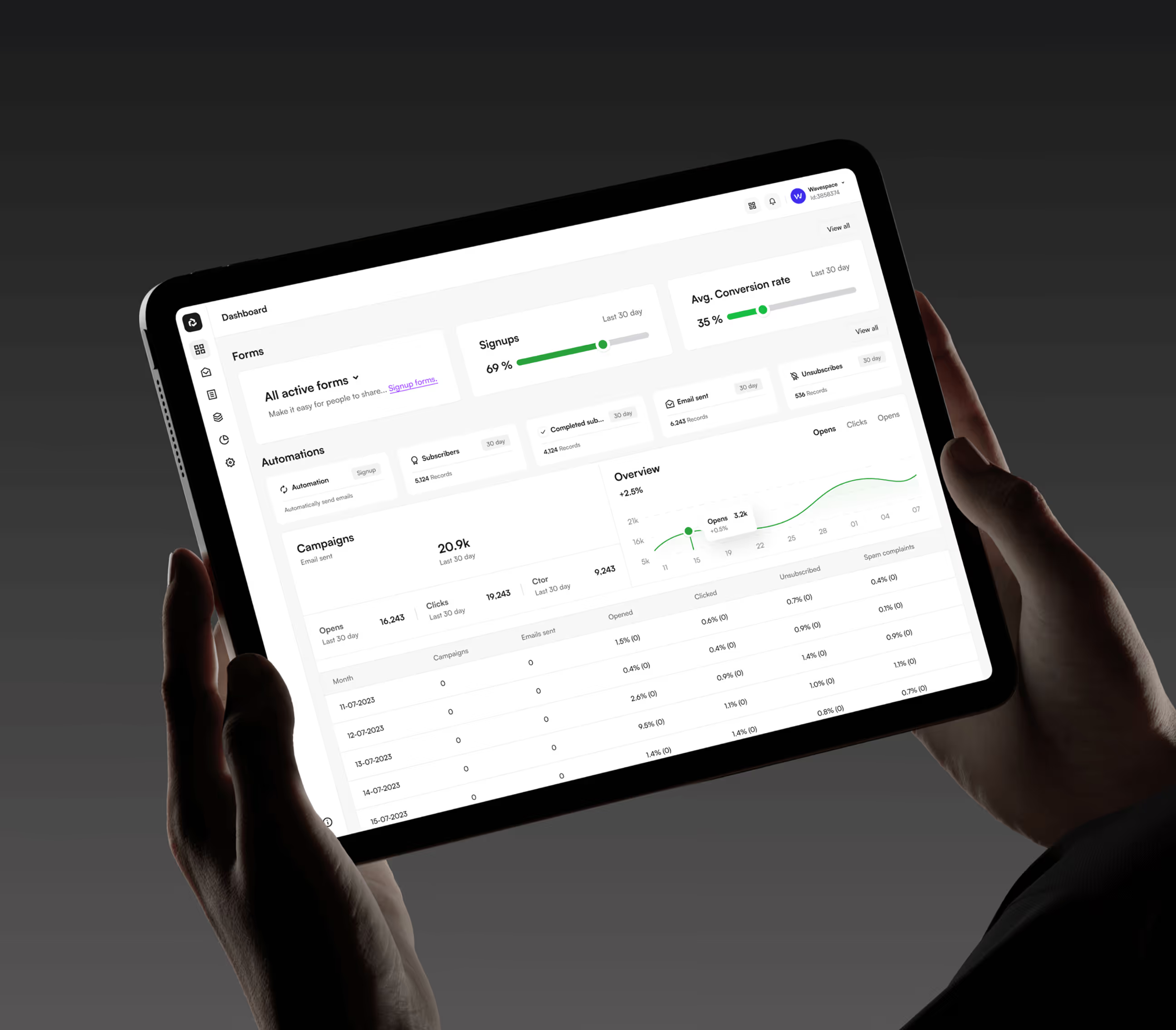
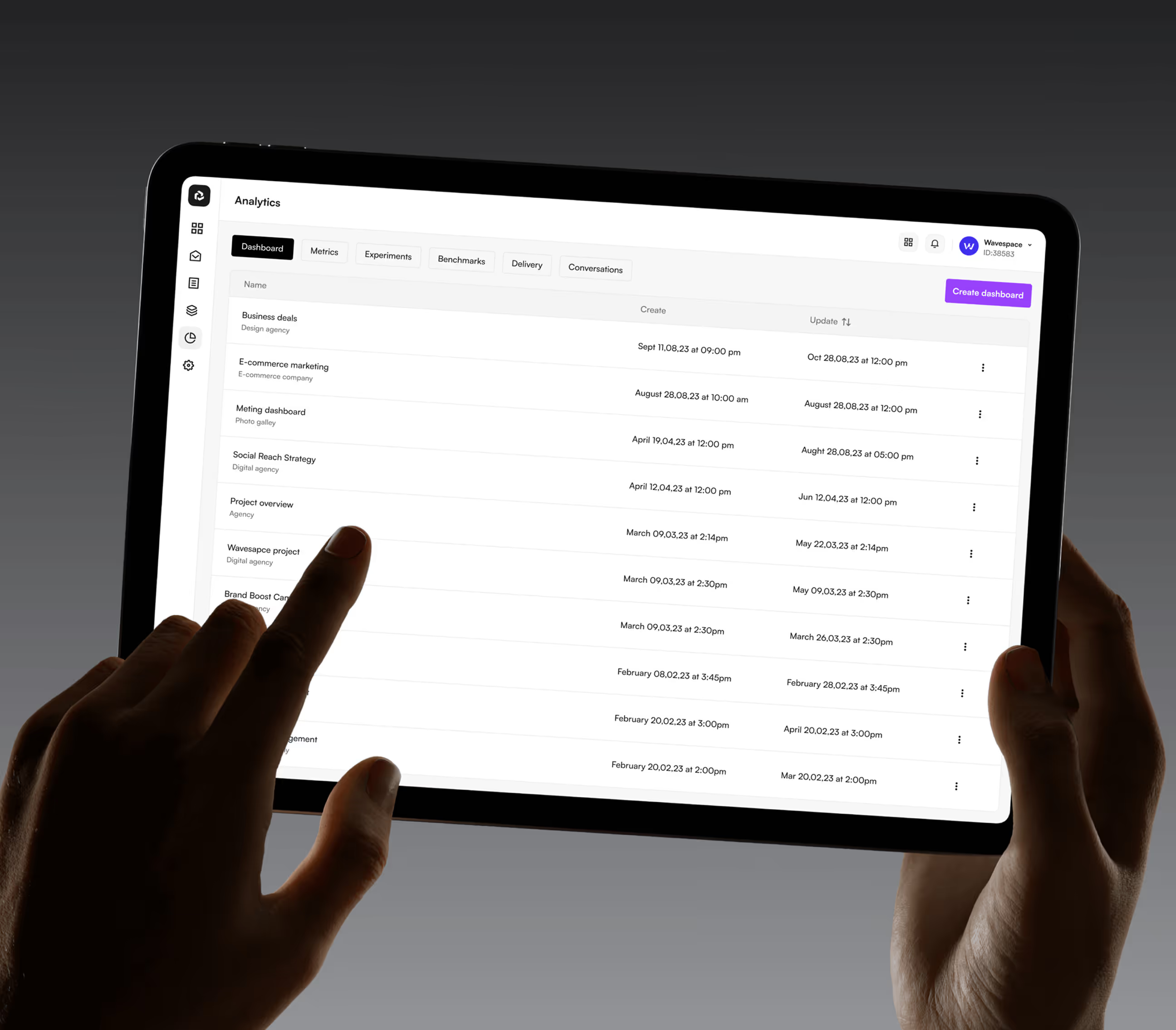
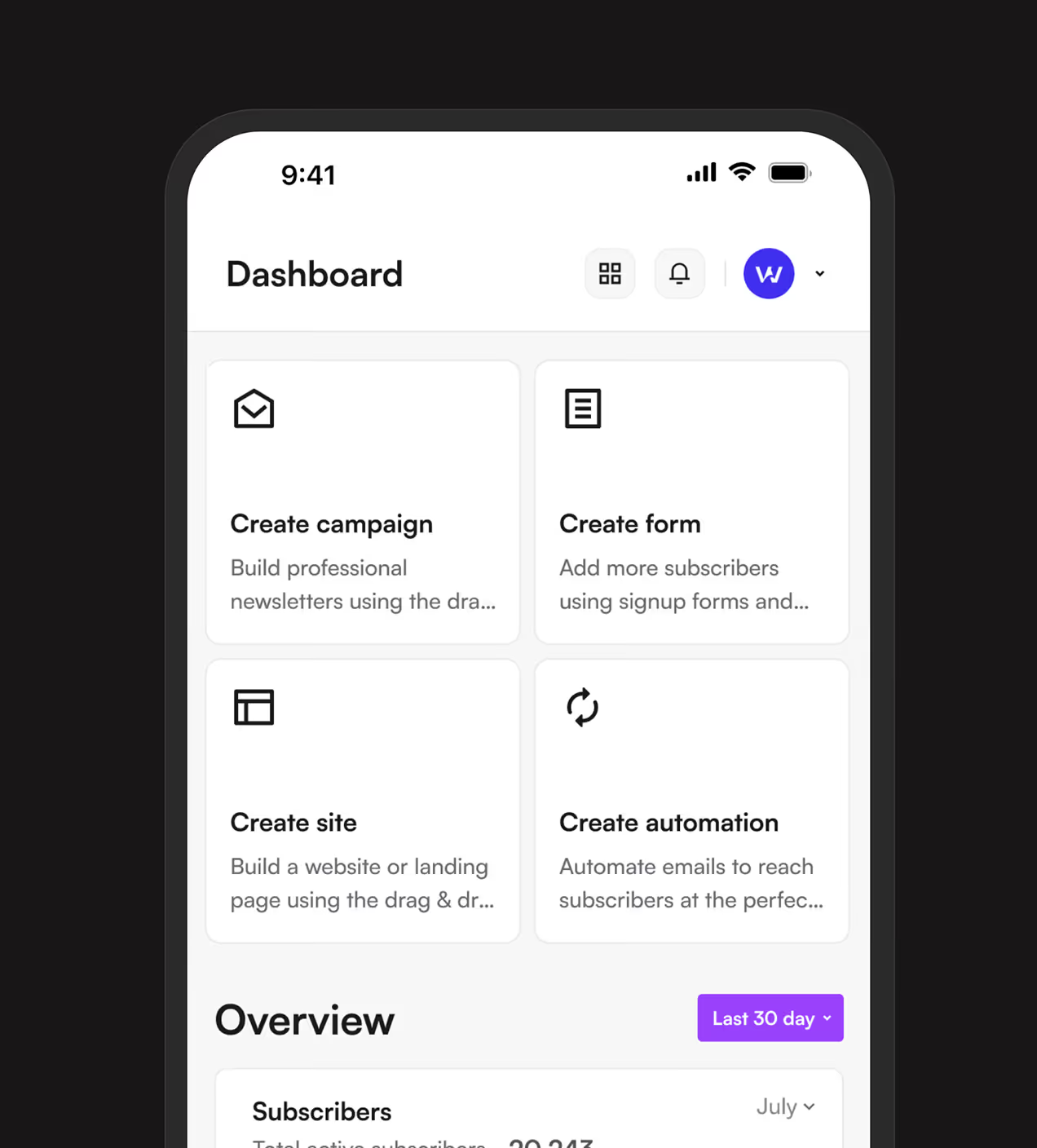
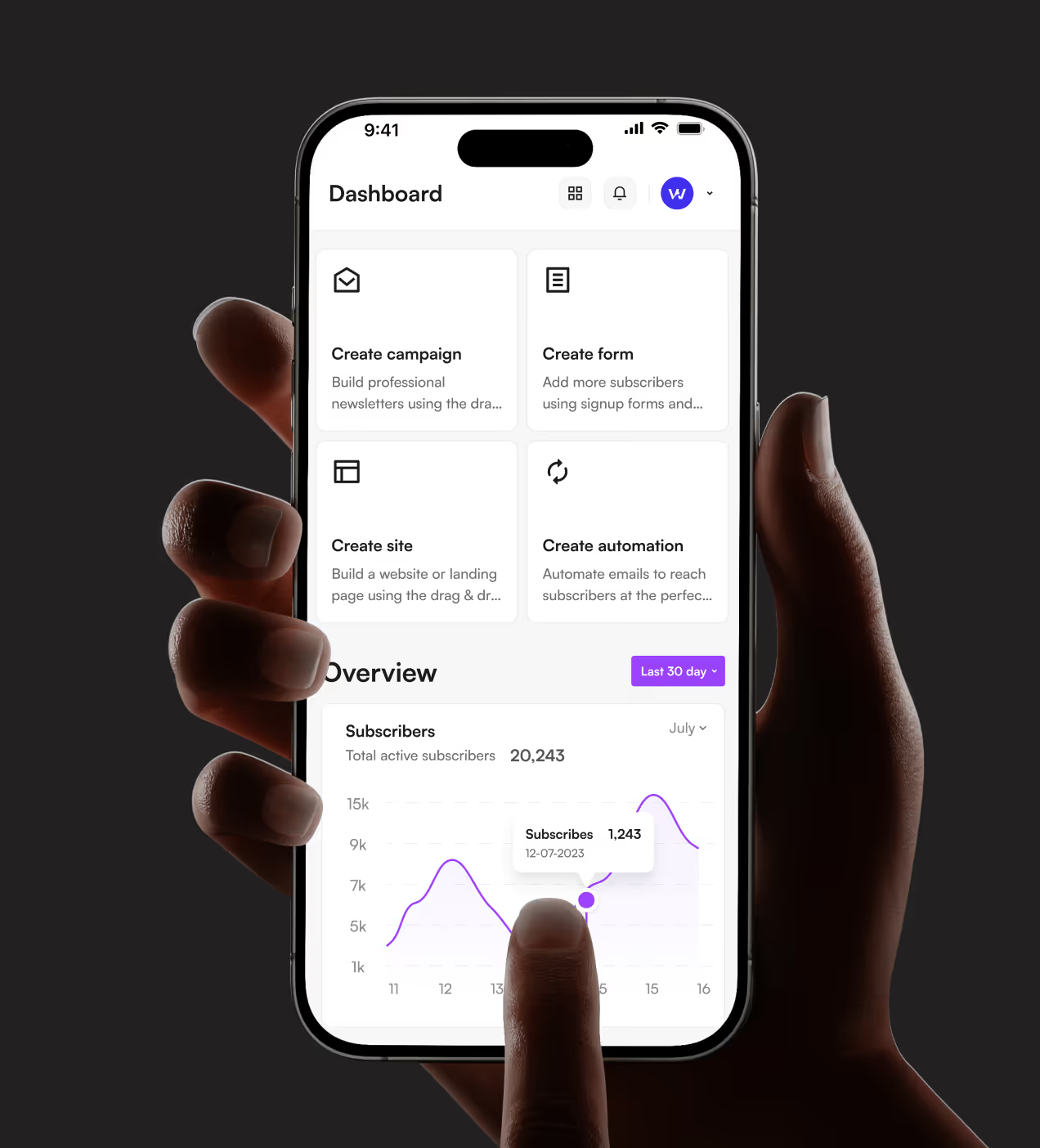
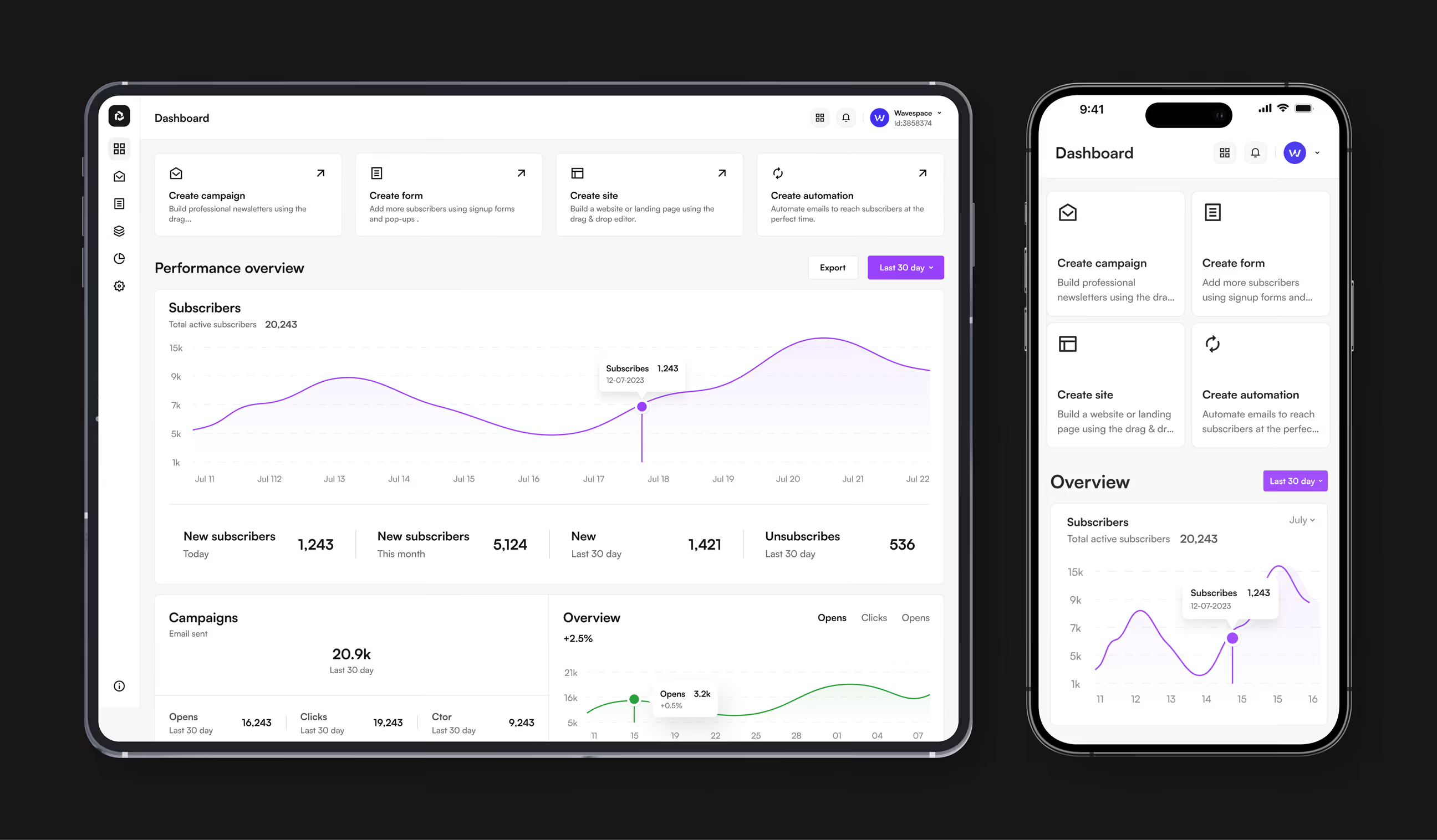
We designed Sendwave so marketers can create campaigns, build forms, set up automation, and track analytics without switching platforms or getting confused. The dashboard shows a campaign performance overview with subscriber counts, recent campaigns, and quick actions for creating new content.
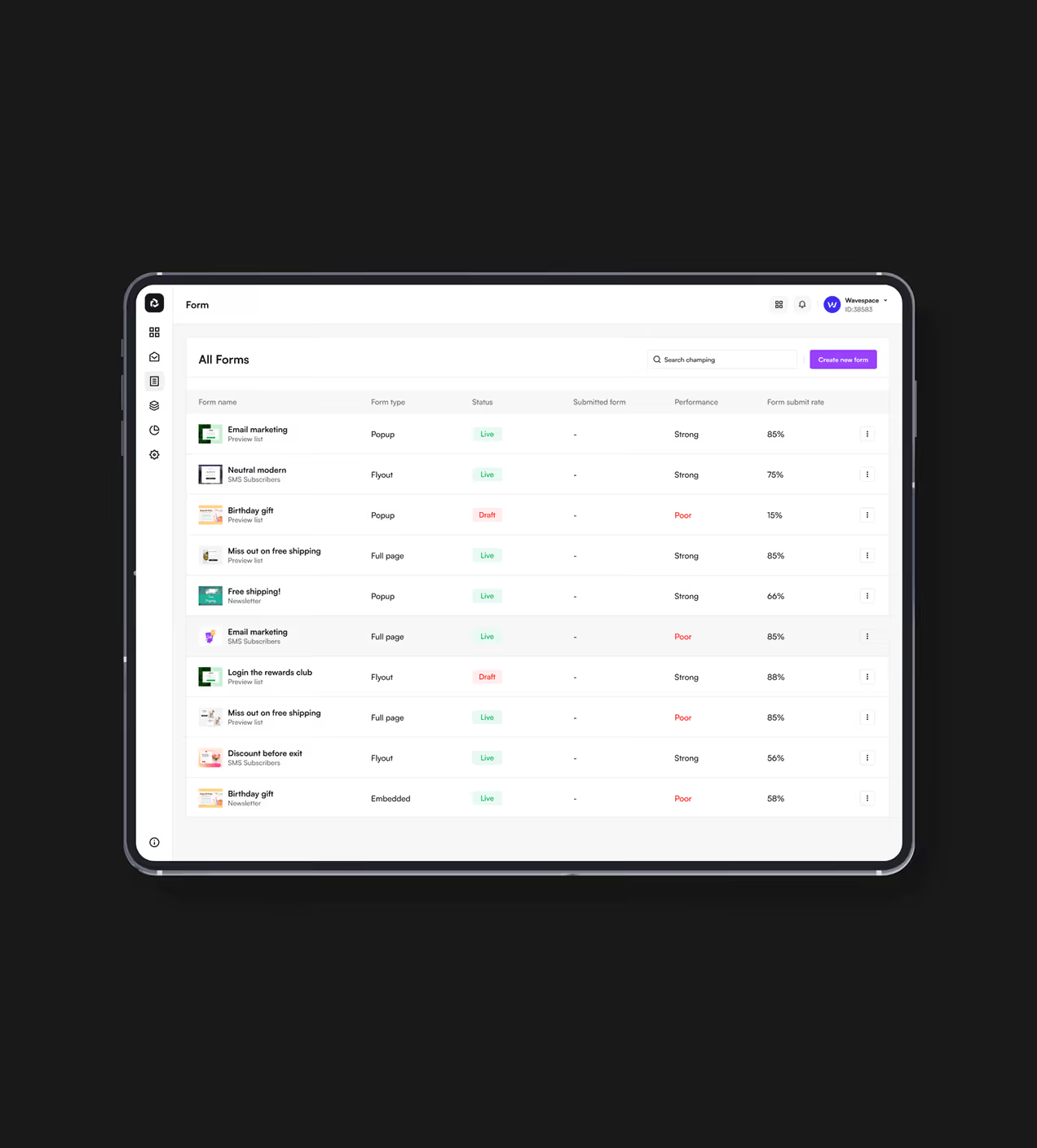
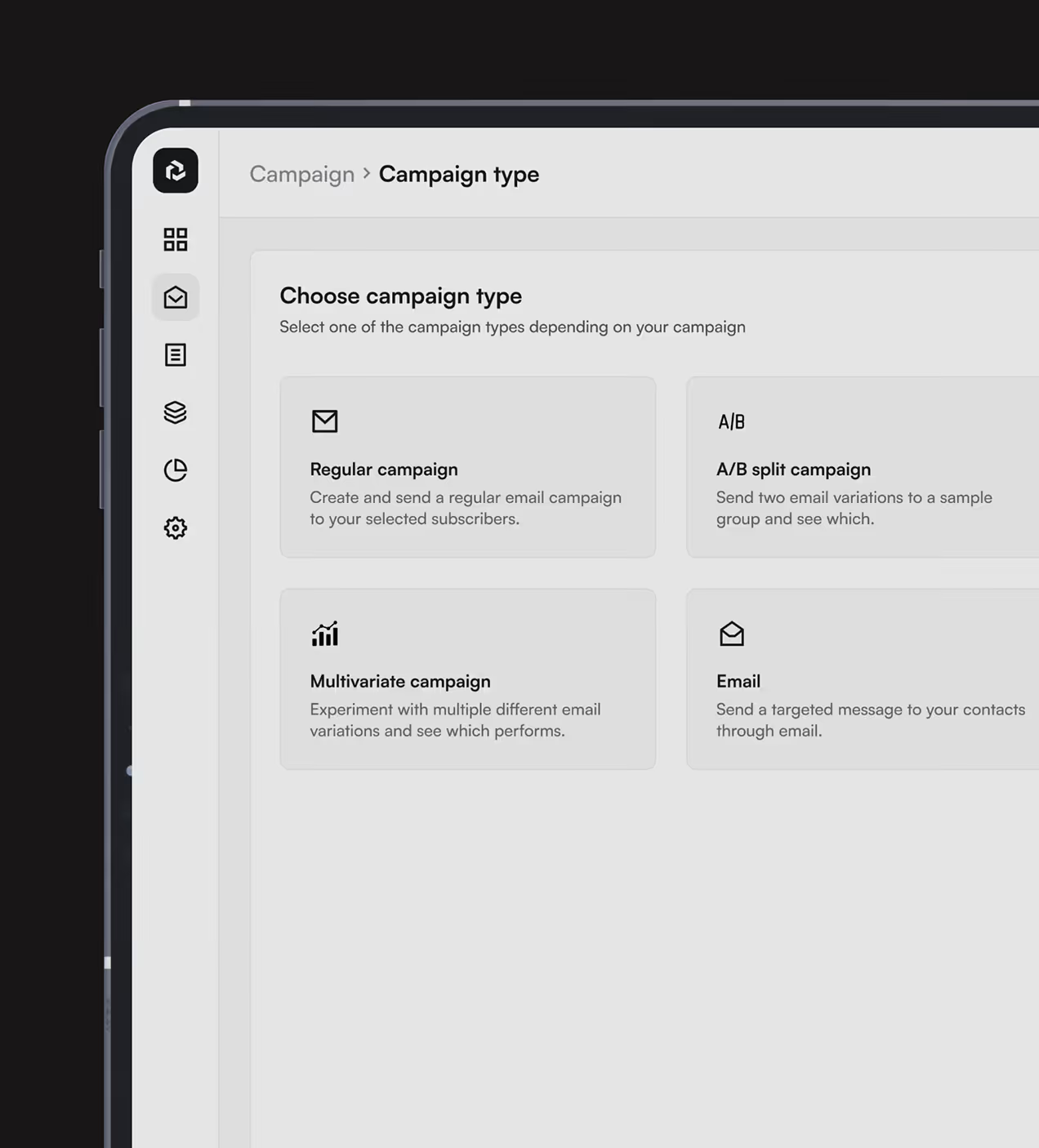
Users tap "Create campaign," choose email or SMS, select recipients, design content with drag-and-drop blocks, review, and launch in four clear steps. Form building uses a template gallery with pre-made options for login rewards, discounts, diet preferences, and birthday offers
Automation shows goal-based cards like "prevent lost sales" or "build customer loyalty" with visual flow builders for triggers and conditions. Analytics presents real-time metrics with filterable dashboards and performance comparisons. We tested every flow with real marketing teams and fixed confusion points before launch.

Real Impact on marketing teams
Sendwave launched with clear navigation, visual builders, and unified workflows. Marketers created campaigns faster, automated customer journeys confidently, and returned to the platform regularly.
Key Results:
- Development efficiency improved: Component-based design system and clear information architecture eliminated rework across campaigns, forms, and automation modules, saving hundreds of development hours.
- Subscription upgrades grew: Advanced automation features like goal-based workflows and AI-powered customer journeys drove more users to upgrade from free to paid plans.
- Marketer satisfaction jumped : User satisfaction scores rose dramatically after simplified campaign builder, visual automation flows, and real-time analytics dashboards launched.
- Campaign creation accelerated: Visual email builder with template library and drag-and-drop blocks helped users launch campaigns in under 10 minutes instead of hours.


Design & development in one team. Let’s talk!
















.png)



Francisco, CA 94105, United States


































Your competitors are converting 3x more visitors. Not because they have a better product, but because they have a better design.






.avif)